

Podcast Editing Software Compared: Descript, Adobe Podcast, Audacity & More
In the ever-evolving world of podcasting, selecting the right podcast editing software can make a significant difference in the quality of your audio content. As podcasting continues to grow in popularity, with over 400 million podcast listeners in the U.S. alone, creators are increasingly looking for tools that not only enhance their audio quality but also streamline their workflow. This article will compare some of the leading podcast editing software options, including Descript, Adobe Podcast, Audacity, and more, to help you make an informed decision that suits your needs.
Whether you are a seasoned podcaster or just starting your journey, understanding the features, benefits, and drawbacks of these tools is crucial. In this comprehensive guide, we will delve into the capabilities of each software, highlight their unique features, and provide insights on how to choose the best one for your podcasting needs.
Why Podcast Editing Software is Essential
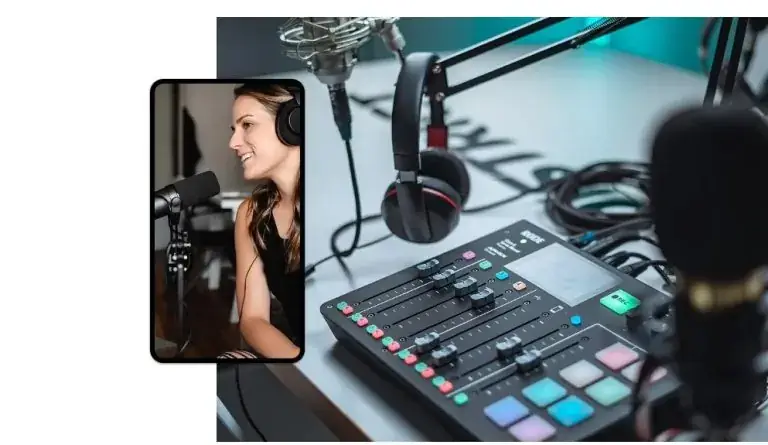
Podcast editing software is vital for several reasons. First, it allows podcasters to enhance audio quality, ensuring that listeners have a pleasant experience. Poor audio quality can lead to listener drop-off, negatively affecting your show’s reputation and reach. Second, editing software provides the tools necessary to cut out mistakes, remove background noise, and add effects that can make your podcast sound professional.
Moreover, with the rise of remote podcasting, where hosts and guests may record from different locations, the need for advanced editing tools has increased. Software that can handle multiple audio tracks, synchronize them seamlessly, and offer features like automatic transcription is now more important than ever.
Overview of Popular Podcast Editing Software
Several podcast editing software options are available in the market, each with its unique features and capabilities. Here, we will explore three of the most popular choices: Descript, Adobe Podcast, and Audacity. Understanding the strengths and weaknesses of each can help you choose the right software for your podcast.
Descript: Features and Benefits
Descript has emerged as a favorite among podcasters for its innovative approach to audio editing. It combines traditional audio editing with transcription, allowing users to edit audio by simply editing the text. Here are some of its standout features:
- Text-Based Editing: Descript allows you to edit audio by editing the text transcript. This feature is particularly useful for those who may not be familiar with audio editing software.
- Overdub: This feature enables users to create a synthetic voice that can read any text you input, making it easy to correct mistakes without needing to re-record.
- Multi-Track Editing: Descript supports multi-track editing, allowing you to work with multiple audio sources simultaneously.
- Collaboration Tools: The platform facilitates real-time collaboration, making it easy for teams to work together on projects.
- Publishing Features: Descript also offers publishing options, allowing you to export your podcast directly to platforms like Spotify and Apple Podcasts.
For podcasters looking for a modern and efficient editing tool, Descript is an excellent choice. Its user-friendly interface and innovative features make it suitable for both beginners and advanced users.
Adobe Podcast: Features and Benefits
Adobe Podcast, part of the Adobe Creative Cloud suite, is another powerful option for podcasters. Known for its robust editing capabilities, Adobe Podcast offers a variety of features that can enhance your audio production:
- AI-Powered Features: Adobe Podcast incorporates AI technology to help improve audio quality, remove background noise, and enhance voice clarity.
- Seamless Integration: Being part of the Adobe ecosystem, it integrates well with other Adobe products, allowing for seamless transitions between video and audio editing.
- Advanced Editing Tools: Users have access to a wide range of editing tools, including effects, equalization, and compression options that can elevate the overall sound of your podcast.
- Templates and Presets: Adobe Podcast provides templates and presets for various podcast styles, making it easier to achieve a professional sound quickly.
- Collaboration Features: Similar to Descript, Adobe Podcast allows for real-time collaboration, making it ideal for teams working on projects.
Adobe Podcast is an excellent choice for those already familiar with Adobe products and looking for a comprehensive audio editing solution.
Audacity: Features and Benefits
Audacity is a free, open-source audio editing software that has been a staple in the podcasting community for years. While it may not have all the bells and whistles of its competitors, it offers essential features that make it a reliable option:
- Open-Source and Free: As a free tool, Audacity is accessible to anyone, making it an excellent choice for beginners or those on a budget.
- Multi-Track Editing: Audacity supports multi-track editing, allowing you to work with different audio sources and layers.
- Various Effects and Filters: The software includes a range of built-in effects and filters that can enhance your audio quality.
- Cross-Platform Compatibility: Audacity is available on Windows, macOS, and Linux, making it a versatile option for users across different operating systems.
- Extensive Community Support: Being open-source, Audacity has a vast community that provides plugins, tutorials, and support for users.
While Audacity may lack some advanced features found in paid software, it remains a solid choice for podcasters, especially those just starting.
Comparison Table of Podcast Editing Software
| Feature | Descript | Adobe Podcast | Audacity |
|---|---|---|---|
| Text-Based Editing | Yes | No | No |
| Overdub Feature | Yes | No | No |
| AI Noise Reduction | No | Yes | No |
| Multi-Track Editing | Yes | Yes | Yes |
| Cost | Subscription-based | Subscription-based | Free |
| Collaboration Tools | Yes | Yes | No |
Choosing the Right Podcast Editing Software
When selecting the right podcast editing software, consider the following factors:
- Your Skill Level: If you are a beginner, opt for user-friendly software like Descript or Audacity. For more advanced users, Adobe Podcast may offer the depth you need.
- Budget: Determine your budget for podcast editing software. While Audacity is free, both Descript and Adobe Podcast require subscriptions.
- Required Features: Identify the features that are most important to you, such as text-based editing, AI noise reduction, or collaboration tools.
- Integration with Other Tools: Consider how well the software integrates with other tools you use, especially if you are already using Adobe products.
Ultimately, the best podcast editing software for you will depend on your specific needs, preferences, and budget.
Expert Tips for Podcast Editing
To get the most out of your podcast editing software, consider these expert tips:
1. **Familiarize Yourself with the Software:** Spend time learning the ins and outs of your chosen software. Most platforms offer tutorials and resources to help you get started.
2. **Use Templates:** If your software provides templates, use them to save time and ensure consistency across episodes.
3. **Edit for Clarity:** Remove filler words, long pauses, and any irrelevant content to keep your listeners engaged.
4. **Utilize Effects Wisely:** While effects can enhance your audio, overusing them can detract from the listening experience. Use them sparingly and purposefully.
5. **Seek Feedback:** After editing your podcast, consider sharing it with a trusted friend or colleague for feedback before publishing.
FAQ
What is the best podcast editing software for beginners?
For beginners, Audacity is an excellent choice due to its free availability and user-friendly interface. Descript is also a great option for those looking for text-based editing features.
Can I edit podcasts on my phone?
Yes, there are several mobile apps available for podcast editing, such as Anchor and GarageBand, which allow you to edit audio on your smartphone.
Is Descript worth the cost?
Descript offers unique features like text-based editing and Overdub, making it a worthwhile investment for podcasters looking for efficiency and quality.
How do I improve my podcast audio quality?
To improve audio quality, invest in a good microphone, record in a quiet space, and use editing software to remove background noise and enhance clarity.
What are the advantages of using Adobe Podcast?
Adobe Podcast offers advanced editing tools, AI-powered features for noise reduction, and seamless integration with other Adobe products, making it a powerful choice for serious podcasters.
Can I use Audacity for professional podcasting?
Yes, many professional podcasters use Audacity. While it may lack some advanced features, it provides essential tools for quality editing.
Do I need to pay for podcast editing software?
While there are free options like Audacity, paid software often offers more advanced features and support, which can be beneficial for serious podcasters.
How can I learn to edit podcasts effectively?
Many online resources, including tutorials and courses, can help you learn podcast editing. Websites like YouTube and platforms like Skillshare offer valuable content for aspiring podcasters.
- Your Ultimate Guide to Launching a Professional Podcast in Alpharetta
- Podcast Studio vs. Home Recording: Why Audio Quality Makes or Breaks Your Show
- Podcast Legal Basics: Music Licensing, Fair Use & Guest Release Forms
- Launching a Podcast Network: Expert Insights from Multi-Show Producers
- Podcast studio on campus
