
How to Record a Professional Podcast Without Owning a Studio
Podcasting has exploded in popularity over the past few years, with millions of people tuning in to their favorite shows daily. For many aspiring podcasters, the idea of creating a high-quality production can be intimidating, especially if they do not own a professional studio. However, with the right tools and techniques, you can record a professional-sounding podcast from the comfort of your home or a shared workspace. In this article, we will explore how to achieve high-quality podcast recordings without the need for a dedicated studio.
Understanding Podcasting Basics
Before diving into the technical aspects, it’s essential to understand what makes a podcast professional. High-quality audio, engaging content, and a well-planned structure are the cornerstones of a successful podcast. Let’s break these elements down further.
Audio Quality
The most critical aspect of any podcast is audio quality. Listeners are more likely to tune out if the sound is distorted or hard to hear. Investing in good microphones, using soundproofing techniques, and understanding audio editing is crucial.
Content Structure
Your podcast should have a clear structure, including an introduction, main content, and conclusion. This helps keep listeners engaged and makes the recording process smoother.
Choosing the Right Equipment
You don’t need a professional studio to record quality audio, but you do need some essential equipment. Here’s a list of items you should consider:
Microphones
Investing in a good microphone is crucial. USB microphones are a popular choice for beginners due to their affordability and ease of use. For higher quality, consider XLR microphones, which require an audio interface but offer superior sound.
Headphones
Quality headphones are essential for monitoring your audio while recording. Look for closed-back headphones that minimize sound leakage.
Audio Interface
If you choose an XLR microphone, you will need an audio interface to connect it to your computer. This device converts the microphone’s signal into a digital format that your computer can understand.
Recording Software
There are various digital audio workstations (DAWs) available for recording and editing podcasts. Popular options include Audacity (free), GarageBand (Mac), and Adobe Audition (paid). Choose one that suits your needs and skill level.
Finding the Right Space
While you may not have access to a professional studio, choosing the right environment for recording is crucial. Here are some tips for finding or creating a suitable space:
Quiet Location
Look for a quiet room or space where you can minimize background noise. Avoid areas with hard surfaces that can cause echo, such as tiled or wooden floors.
Soundproofing Techniques
Use blankets, pillows, or foam panels to dampen sound reflections. You can also use carpets or rugs to reduce echo. Hanging thick curtains can help block outside noise.
Shared Workspaces
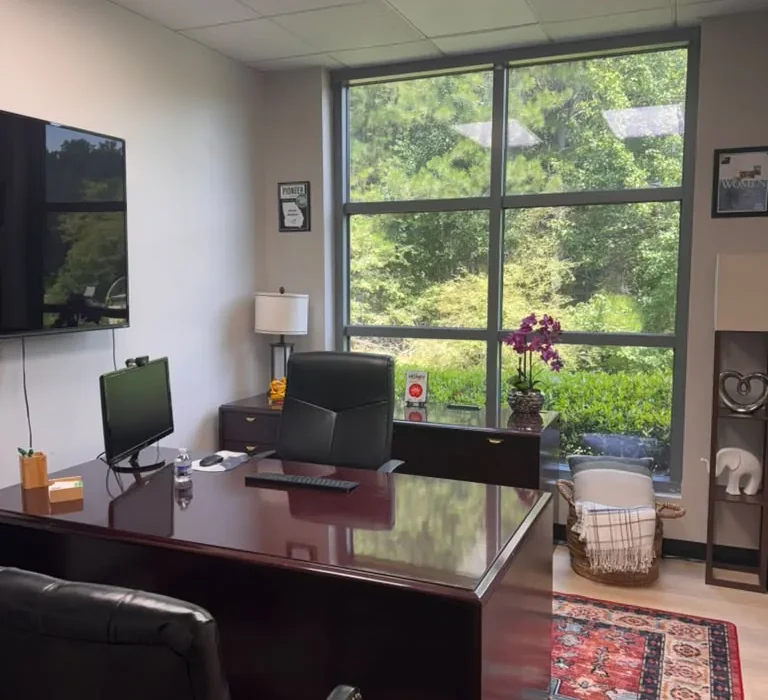
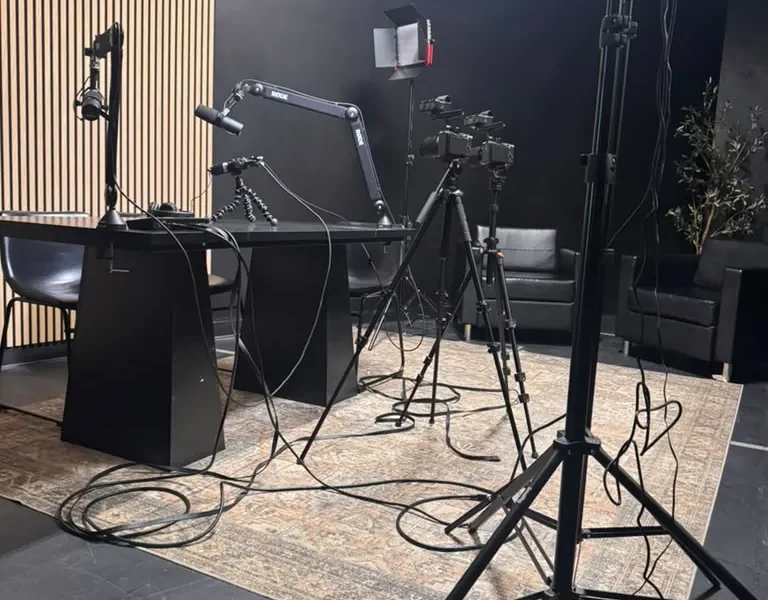
If you are unable to create a quiet space at home, consider renting a private office or a podcasting studio at a coworking space like World Park. These environments often provide professional equipment and soundproofing, allowing you to focus on your content.
Recording Your Podcast
Once you have your equipment and space ready, it’s time to record your podcast. Here’s a step-by-step guide:
Preparation
Before recording, outline your episode’s structure, including key points and topics you want to cover. This preparation will help keep your conversation focused and engaging.
Test Your Setup
Perform a quick test recording to ensure your audio levels are balanced. Speak into the microphone and monitor the sound through your headphones. Adjust your microphone placement and gain levels as necessary.
Recording the Episode
Start recording! Speak clearly and confidently, and don’t be afraid to pause and gather your thoughts. Editing can help smooth out any mistakes later.
Editing Your Podcast
Editing is where the magic happens. Here are some essential editing tips to enhance your podcast:
Remove Flaws
Edit out long pauses, filler words (like ‘um’ and ‘uh’), and any mistakes to create a polished final product. Be mindful of pacing to keep listeners engaged.
Add Music and Sound Effects
Consider adding intro music, transitions, and sound effects to enhance your podcast’s production value. Ensure you have the rights to any audio you use.
Final Review
Before publishing, listen to the entire episode to catch any remaining issues. This final review will help ensure a quality listening experience for your audience.
Publishing and Promotion
Once your podcast is edited and ready to go, it’s time to publish and promote it to reach your audience:
Choose a Hosting Platform
Select a podcast hosting platform that suits your needs. Popular options include Libsyn, Podbean, and Anchor. These platforms will distribute your podcast to major directories like Apple Podcasts and Spotify.
Create Eye-Catching Cover Art
Your podcast cover art is the first thing potential listeners will see, so ensure it’s eye-catching and represents your brand effectively.
Promote Your Podcast
Use social media, email newsletters, and networking events to promote your podcast. Engaging with your audience and collaborating with other podcasters can help grow your listener base.
Building a Podcast Community
Engaging with your audience is vital for building a successful podcast. Here are some strategies:
Encourage Feedback
Ask your listeners for feedback and suggestions. This engagement fosters a sense of community and helps you improve your content.
Host Live Events
Consider hosting live podcast recordings or Q&A sessions. These events provide an opportunity to connect with your audience in real-time.
Network with Other Podcasters
Join podcasting communities and networks to connect with other creators. Collaborating with fellow podcasters can expand your reach and introduce you to new audiences.
Conclusion
Recording a professional podcast without owning a studio is entirely possible with the right approach. By investing in quality equipment, creating a suitable recording environment, and following best practices for production and promotion, you can produce a podcast that resonates with your audience. Remember that consistency is key, so stay committed to your podcasting journey and enjoy the process!
FAQ
1. Do I need expensive equipment to start a podcast?
No, you can start with a good USB microphone and basic recording software. As you grow, you can invest in better equipment.
2. What is the best microphone for beginners?
USB microphones like the Blue Yeti or Audio-Technica ATR2100x are excellent choices for beginners.
3. How can I reduce background noise when recording at home?
Choose a quiet space, use soundproofing materials, and record when there is minimal background activity.
4. What software should I use for editing my podcast?
Audacity, GarageBand, and Adobe Audition are popular editing software options for podcasters.
5. How long should my podcast episodes be?
Episode length varies, but aim for 20-60 minutes. Focus on delivering valuable content to keep listeners engaged.
6. How can I promote my podcast?
Utilize social media, email newsletters, and collaborate with other podcasters to reach a wider audience.
7. Should I have a script for my podcast?
A script can help keep you on track, but consider using bullet points for a more conversational tone.
8. Can I make money from podcasting?
Yes, through sponsorships, listener support, and merchandise sales, you can monetize your podcast.
9. How often should I release new episodes?
Consistency is key. Whether it’s weekly, bi-weekly, or monthly, choose a schedule you can maintain.
10. What makes a podcast successful?
Engaging content, high audio quality, and active audience interaction contribute to a successful podcast.
