

Combatting Zoom Fatigue: Redesigning Virtual Meetings for Hybrid Teams
In the age of remote work, virtual meetings have become a cornerstone of collaboration, especially for hybrid teams. However, many professionals are experiencing what is now known as ‘Zoom fatigue’—an overwhelming sense of exhaustion resulting from excessive virtual interaction. As we adapt to this new normal, it’s crucial to rethink and redesign how we conduct our virtual meetings. In this comprehensive guide, we will explore effective strategies to fight Zoom fatigue, ensuring that your hybrid team remains productive and engaged during virtual meetings. By the end of this article, you’ll have actionable insights and expert tips to revamp your virtual meetings for optimal effectiveness.
Understanding Zoom Fatigue
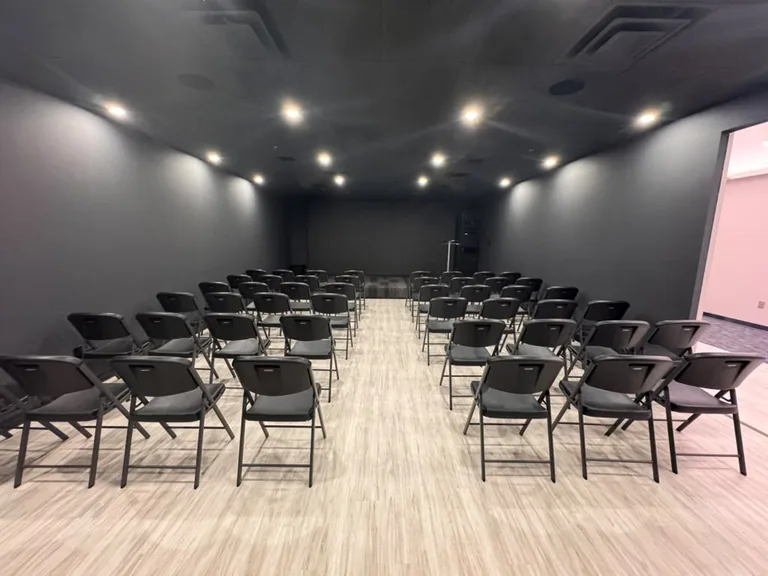
Zoom fatigue refers to the mental exhaustion associated with prolonged virtual meetings. While video conferencing platforms like Zoom, Microsoft Teams, and Google Meet have facilitated remote collaboration, they have also introduced unique challenges. According to a study by the American Psychological Association, the cognitive load of maintaining eye contact, interpreting non-verbal cues, and dealing with technical issues can lead to burnout. This phenomenon has become increasingly relevant as businesses shift towards hybrid models, blending remote and in-person work.
The Impact of Zoom Fatigue on Teams
Zoom fatigue can have significant repercussions for hybrid teams. Research indicates that employees experiencing fatigue are less productive, more prone to errors, and exhibit lower morale. A survey by Gartner found that 60% of employees reported feeling fatigued from virtual meetings. This can lead to disengagement, decreased collaboration, and ultimately hinder the success of hybrid teams.
Strategies to Reduce Zoom Fatigue
To combat Zoom fatigue, organizations must implement effective strategies that promote engagement and productivity. Here are several actionable approaches:
1. Limit Meeting Duration
Shorter, more focused meetings can significantly reduce fatigue. Aim for a maximum of 30 minutes for standard meetings, and consider implementing a strict agenda to keep discussions on track.
2. Encourage Breaks
Integrate short breaks between meetings to allow participants to recharge. A simple 5-minute break can improve concentration and reduce mental strain.
3. Use Video Sparingly
While video can enhance communication, it’s not always necessary. Encourage team members to turn off their cameras for certain meetings, especially if they are not required for engagement.
4. Foster Interactive Engagement
Utilize interactive tools like polls, breakout rooms, and collaborative whiteboards to keep participants engaged. This can help break the monotony of standard presentations.
5. Rotate Meeting Hosts
Having different team members lead meetings can provide fresh perspectives and reduce the pressure on a single individual. This also encourages a sense of ownership and accountability among team members.
6. Implement Asynchronous Communication
Not every discussion requires a live meeting. Leverage tools like Slack or Microsoft Teams for asynchronous communication, allowing team members to contribute at their convenience. This can help reduce the overall number of meetings.
Designing Engaging Virtual Meetings
Effective virtual meetings require thoughtful design. Here are some best practices for creating engaging virtual meeting experiences:
1. Set Clear Objectives
Every meeting should have a clear purpose. Share the agenda in advance and outline specific goals to ensure all participants are aligned.
2. Create a Collaborative Atmosphere
Encourage open dialogue and feedback during meetings. Use icebreakers or team-building activities to create a comfortable environment that fosters collaboration.
3. Leverage Visual Aids
Visual aids can enhance understanding and retention. Use slides, infographics, and videos to present information in a more engaging manner.
4. Incorporate Breakout Sessions
Breakout sessions allow smaller groups to discuss specific topics in-depth. This can lead to more meaningful conversations and encourage participation from all team members.
5. Follow Up with Action Items
After each meeting, send a summary of key discussion points and action items. This reinforces accountability and keeps everyone informed.
The Role of Technology in Fighting Fatigue
Technology plays a crucial role in reshaping virtual meetings. Here are some tools that can help enhance the virtual meeting experience:
1. Video Conferencing Platforms
Choose the right video conferencing platform that suits your team’s needs. Consider features such as screen sharing, breakout rooms, and chat functionalities.
2. Collaboration Tools
Utilize collaboration tools like Miro or Trello to facilitate brainstorming and project management. These tools can enhance engagement and streamline workflows.
3. Meeting Management Software
Implement meeting management software to schedule and organize meetings efficiently. Tools like Doodle or Calendly can help streamline scheduling and reduce back-and-forth communication.
Expert Insights and Best Practices
To further enhance your understanding of combating Zoom fatigue, consider the following expert insights:
1. Prioritize Mental Health
Encourage team members to prioritize their mental health by promoting work-life balance. Create policies that support flexible working hours and encourage breaks.
2. Gather Feedback Regularly
Solicit feedback from team members regarding meeting effectiveness. Use surveys or informal check-ins to assess what’s working and what needs improvement.
3. Invest in Training
Provide training on effective virtual communication and collaboration. This can empower team members to navigate virtual meetings more effectively.
FAQ
What is Zoom fatigue?
Zoom fatigue refers to the mental exhaustion experienced from prolonged virtual meetings, often resulting from the cognitive load associated with video conferencing.
How can I reduce Zoom fatigue?
To reduce Zoom fatigue, limit meeting durations, encourage breaks, and utilize asynchronous communication methods.
Are virtual meetings as effective as in-person meetings?
While virtual meetings can be effective, they often lack the personal connection found in in-person meetings. However, with proper design, virtual meetings can still achieve desired outcomes.
What tools can help improve virtual meetings?
Tools such as video conferencing platforms, collaboration software, and meeting management tools can enhance the virtual meeting experience.
How often should teams meet virtually?
The frequency of virtual meetings should be based on the team’s needs. Aim for a balance that promotes collaboration without overwhelming team members.
What are some best practices for leading virtual meetings?
Best practices include setting clear objectives, creating a collaborative atmosphere, and following up with action items.
How can I foster engagement during virtual meetings?
Utilize interactive tools, encourage participation, and incorporate breakout sessions to foster engagement during virtual meetings.
What role does technology play in virtual meetings?
Technology facilitates communication and collaboration in virtual meetings. The right tools can enhance engagement, streamline workflows, and reduce fatigue.
How can I create a positive virtual meeting culture?
Promote open communication, prioritize mental health, and gather regular feedback to create a positive virtual meeting culture.
What is the future of virtual meetings?
The future of virtual meetings lies in hybrid models that blend remote and in-person interactions, supported by advanced technology and innovative practices.
How can coworking spaces benefit hybrid teams?
Coworking spaces offer a flexible environment that encourages collaboration and creativity, making them ideal for hybrid teams looking to reduce fatigue.
How can I measure the effectiveness of virtual meetings?
Gather feedback from participants, track engagement levels, and assess whether meeting objectives were achieved to measure the effectiveness of virtual meetings.
Conclusion
As hybrid teams continue to navigate the challenges of virtual collaboration, addressing Zoom fatigue is essential for maintaining productivity and morale. By implementing the strategies outlined in this guide, organizations can redesign their virtual meetings to foster engagement and collaboration. With a focus on mental health, effective communication, and the right technology, your team can thrive in this new era of work. For more information on creating a supportive work environment, explore our community resources at World Park.
