

Video Testimonials That Sell: How to Film Customer Stories That Convert
In today’s digital landscape, video testimonials have emerged as a powerful tool for businesses looking to build trust and drive conversions. With the ability to showcase genuine customer experiences, these testimonials provide a compelling narrative that can significantly influence potential buyers. In this comprehensive guide, we will explore how to effectively film customer stories that convert, ensuring your video testimonials not only resonate with your audience but also enhance your brand’s credibility and sales. By the end of this article, you will have actionable strategies to create impactful video testimonials that sell.
The Importance of Video Testimonials
Video testimonials are more than just marketing collateral; they are an essential component of a modern digital strategy. According to Forbes, nearly 79% of consumers prefer to watch a video than read text about a product. This statistic underscores the importance of utilizing video testimonials to convey customer satisfaction and build trust. Here’s why video testimonials matter:
- Authenticity: Video testimonials provide an authentic glimpse into customer experiences, showcasing real people and their stories.
- Emotional Connection: They evoke emotions, making potential customers more likely to relate and connect with your brand.
- Social Proof: Customers are more likely to trust your business when they see others vouching for it.
- Increased Conversions: A study by Unbounce showed that video testimonials can boost conversions by up to 80%.
Planning Your Video Testimonial
Before diving into filming, it’s crucial to plan your video testimonial effectively. Here are key steps to consider:
1. Identify Your Best Customers
Choose customers who have had a positive experience with your product or service. Look for those who are articulate and passionate about your brand. Engaging with customers from different backgrounds can also provide diverse perspectives.
2. Develop a Script or Outline
While you want the testimonial to feel natural, having a structured outline can help guide the conversation. Include key points you want the customer to touch on:
- What problem were they facing before using your product?
- How did your product/service solve this problem?
- What specific benefits did they experience?
- Would they recommend your product to others?
3. Choose the Right Location
Select a location that reflects your brand and is visually appealing. Natural lighting is ideal, so consider filming outdoors or near windows. Ensure that the background is not distracting and aligns with your brand’s aesthetic.
4. Schedule the Shoot
Coordinate with your customer to find a convenient time for filming. Consider their comfort level with being on camera and allow ample time for the shoot.
Shooting Techniques for High-Quality Videos
Once you have your plan in place, it’s time to film. Here are some techniques to ensure high-quality video testimonials:
1. Use Professional Equipment
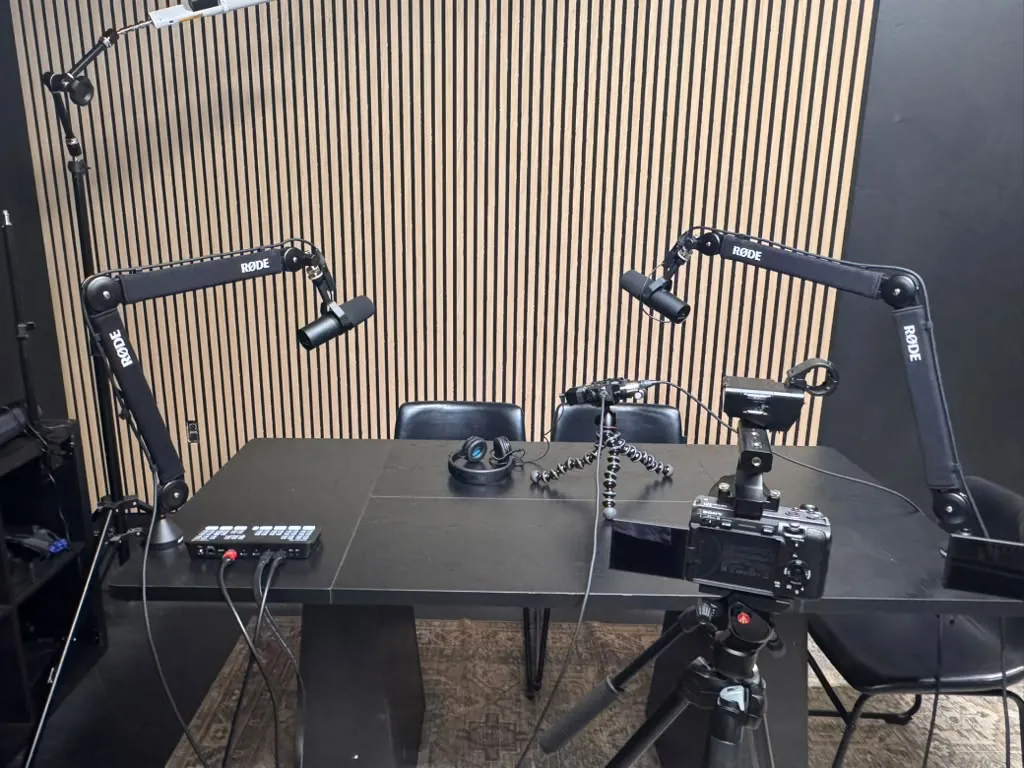
Investing in good equipment is crucial for high-quality video. Use a DSLR or mirrorless camera for better image quality. If you’re on a budget, many smartphones today can shoot in 4K. Additionally, use a tripod to stabilize your camera and ensure a smooth shot.
2. Optimize Audio Quality
Clear audio is just as important as video quality. Invest in a good microphone to capture the speaker’s voice clearly. Consider using a lapel mic for interviews, as it picks up sound directly from the speaker.
3. Pay Attention to Lighting
Good lighting can make or break your video. Natural light is best, but if shooting indoors, use softbox lights to create a flattering glow. Avoid harsh shadows and ensure the subject is well-lit.
4. Capture B-Roll Footage
Including B-roll footage can enhance your video testimonial. This can be clips of the customer using your product, engaging with your service, or any relevant visuals that support their story. B-roll adds depth and context to the testimonial.
Editing Your Video Testimonials
Editing is where you can truly bring your video testimonial to life. Here are some key editing tips:
1. Keep It Concise
Attention spans are short, so aim for a video length of 1-3 minutes. Focus on the most impactful parts of the testimonial. Highlight key quotes or moments that resonate.
2. Add Branding Elements
Incorporate your brand’s logo and colors in the video. This reinforces brand recognition and ensures your video aligns with your overall marketing strategy.
3. Use Subtitles
Adding subtitles can enhance accessibility and engagement. Many viewers watch videos without sound, so including captions ensures your message is conveyed regardless of the viewing situation.
4. Include a Call-to-Action (CTA)
At the end of the video, include a clear CTA. This could be directing viewers to your website, encouraging them to sign up for a newsletter, or prompting them to follow your social media accounts.
Distributing Your Video Testimonials
After editing, it’s time to share your video testimonials. Here are effective distribution channels:
1. Website Integration
Embed video testimonials on your website, particularly on landing pages or product pages. This can significantly enhance your site’s conversion rates.
2. Social Media Sharing
Leverage social media platforms to share your testimonials. Create engaging posts that encourage shares and comments. Platforms like Instagram and Facebook are ideal for video content.
3. Email Marketing
Include video testimonials in your email marketing campaigns. This can increase engagement rates and provide social proof directly to potential customers.
4. Utilize Paid Advertising
Consider using paid ads on platforms like Facebook or YouTube to promote your video testimonials. Targeting specific demographics can help reach potential customers effectively.
Measuring Success: Metrics That Matter
To determine the effectiveness of your video testimonials, track key metrics:
1. View Count
Monitor how many people are watching your video. A high view count indicates strong interest.
2. Engagement Rate
Track likes, shares, and comments on your videos. High engagement suggests that your content resonates with viewers.
3. Conversion Rate
Analyze how many viewers take action after watching your video. This could include making a purchase, signing up for a newsletter, or requesting more information.
4. Bounce Rate
If you embed the video on your website, monitor the bounce rate. A lower bounce rate may indicate that the video is keeping visitors engaged.
Expert Tips for Filming Customer Stories
Leverage these expert insights to enhance your video testimonials:
FAQs
What are video testimonials?
Video testimonials are recorded statements from customers sharing their positive experiences with a product or service.
How long should a video testimonial be?
A video testimonial should ideally be between 1-3 minutes to maintain viewer engagement.
Why are video testimonials effective?
They provide authentic social proof, evoke emotions, and can significantly increase conversion rates.
What equipment do I need for filming?
Basic equipment includes a camera (DSLR or smartphone), a tripod, and a good microphone for audio quality.
How can I edit my video testimonial?
You can use editing software to cut unnecessary parts, add branding elements, subtitles, and a call-to-action.
Where should I share my video testimonials?
Embed them on your website, share on social media, include in email marketing campaigns, and consider using paid advertising.
How can I measure the success of my video testimonials?
Track metrics such as view count, engagement rate, conversion rate, and bounce rate to assess effectiveness.
Can I use video testimonials for my startup?
Absolutely! Video testimonials can be particularly impactful for startups looking to establish trust and credibility in their market.
What makes a great video testimonial?
A great video testimonial features a relatable customer, authentic storytelling, high production quality, and a clear call-to-action.
How do I choose customers for testimonials?
Select customers who are enthusiastic about your product and can articulate their experiences clearly.
Can I film video testimonials remotely?
Yes, with the right tools, you can film testimonials remotely using video conferencing software and screen recording tools.
What is the best platform for hosting video testimonials?
Platforms like YouTube, Vimeo, or directly on your website are excellent for hosting video testimonials.
Conclusion
Video testimonials are an invaluable asset for businesses seeking to build trust and drive sales. By effectively planning, shooting, editing, and distributing your customer stories, you can create compelling narratives that resonate with your audience. Remember to measure the success of your videos to refine your strategy continually. At World Park, we empower startups and entrepreneurs with innovative solutions, including professional video production facilities. If you’re ready to take your video marketing to the next level, contact us today!
