

The Ultimate Technical Guide to Podcast Post-Production: Editing, Mixing & Mastering
In the rapidly evolving world of podcasting, creating high-quality audio content is essential for capturing and retaining an audience. This technical guide aims to provide podcasters with a comprehensive understanding of the podcast post-production process, specifically focusing on editing, mixing, and mastering. Whether you are a seasoned podcaster or just starting in the audio landscape, mastering these post-production techniques can significantly enhance your podcast’s overall quality. You will learn about the essential tools, techniques, and best practices to elevate your podcast production, ensuring your message resonates with your listeners.
Introduction
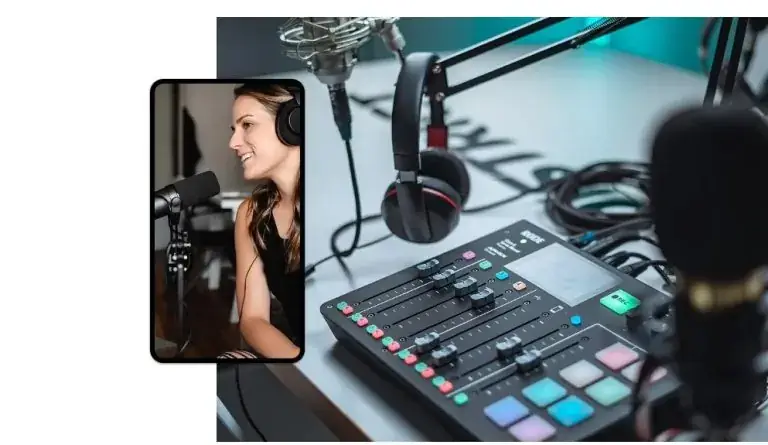
Podcasting has transformed the way we consume audio content, with millions of podcasts available across various platforms. However, not all podcasts are created equal. The difference often lies in the quality of post-production. In this guide, we will delve into the intricacies of podcast post-production, emphasizing the importance of editing, mixing, and mastering. These stages are crucial for ensuring clarity, coherence, and professionalism in your audio content.
At World Park, we offer professional podcast studio facilities in Alpharetta, Georgia, equipped with state-of-the-art technology to support your audio production needs. Our team of experts is dedicated to helping you navigate the complexities of podcasting, from conception to post-production. This guide will not only help you understand the technical aspects of audio production but also how to leverage our facilities for your podcasting journey.
Editing Your Podcast
Editing is the first step in the post-production process and is crucial for creating a polished final product. This stage involves removing unwanted audio segments, enhancing sound quality, and ensuring a smooth flow of conversation. Here are the key steps to effectively edit your podcast:
1. Preparing Your Audio Files
Before diving into editing, ensure that your audio files are well-organized. Create a dedicated folder for each episode, containing all relevant audio files, notes, and scripts. This organization will streamline your workflow.
2. Choosing the Right Editing Software
Selecting the right software is essential for smooth editing. Popular options include:
- Audacity: A free, open-source software ideal for beginners.
- Adobe Audition: A professional-grade tool with advanced features.
- GarageBand: A user-friendly option for Mac users.
- Reaper: A versatile software with a comprehensive feature set.
3. Basic Editing Techniques
When editing, focus on the following techniques:
- Trimming: Remove unnecessary pauses, filler words, and mistakes.
- Volume Adjustment: Normalize audio levels for consistency.
- Noise Reduction: Eliminate background noise and enhance clarity.
4. Enhancing Audio Quality
Utilize effects such as equalization (EQ), compression, and reverb to enhance audio quality. EQ can help balance frequencies, while compression ensures a consistent volume level throughout the episode.
5. Listening Back and Finalizing Edits
After making edits, listen to the entire episode to ensure a cohesive flow. Make any necessary adjustments before moving on to the mixing stage.
Mixing Your Podcast
Once editing is complete, the next step is mixing, where you blend all audio elements to create a polished sound. This stage is vital for achieving a professional audio quality. Here’s how to effectively mix your podcast:
1. Understanding the Mixing Process
Mixing involves adjusting levels, panning, and adding effects to ensure clarity and balance. The goal is to create a harmonious sound where all elements are audible without overpowering each other.
2. Level Balancing
Ensure that dialogue, music, and sound effects are balanced. Use meters in your software to monitor levels and avoid distortion. Aim for dialogue to sit comfortably in the mix, typically around -12 to -6 dB.
3. Panning Techniques
Panning allows you to create a sense of space in your audio. Position voices and sound effects within the stereo field to enhance the listening experience.
4. Adding Effects
Consider adding effects such as:
- Reverb: Adds depth and space.
- Delay: Can create a sense of echo for dramatic effect.
- Compression: Helps maintain consistent levels.
5. Listening and Refining
After mixing, listen to your podcast on different devices (headphones, speakers) to ensure it sounds good across various platforms. Make adjustments as necessary before the final mastering stage.
Mastering Your Podcast
Mastering is the final step in the post-production process, where you prepare your podcast for distribution. This stage ensures that your audio sounds great on all playback systems. Here’s how to effectively master your podcast:
1. Preparing for Mastering
Export your mixed audio track in a high-quality format (WAV or AIFF) before mastering. This ensures that you have the best quality for the final output.
2. Applying Final EQ
Use EQ to make final adjustments to the overall tonal balance. This ensures your podcast sounds good on various playback systems.
3. Limiting
Apply a limiter to prevent clipping and ensure that your audio peaks are controlled. Aim for a final loudness level around -16 to -14 LUFS for podcasts.
4. Exporting the Final Master
Once you are satisfied with the mastering, export your final podcast episode in the desired format (typically MP3 for distribution). Make sure to include ID3 tags for metadata.
5. Quality Control
Listen to the mastered version on multiple devices to ensure consistency and quality. This final check is crucial before releasing your podcast to your audience.
Essential Tools for Post-Production
Having the right tools can significantly enhance your podcast post-production process. Here are some essential tools to consider:
| Tool | Description | Price Range |
|---|---|---|
| Audacity | Free, open-source audio editing software. | Free |
| Adobe Audition | Professional audio editing software with advanced features. | $20.99/month |
| Reaper | Flexible and affordable DAW for audio editing and mixing. | $60 (discounted license) |
| Zoom H5 | Portable audio recorder for high-quality field recordings. | $349 |
| Rode NT1 | High-quality condenser microphone for clear audio capture. | $269 |
Best Practices for Podcast Post-Production
To ensure a smooth post-production process, consider the following best practices:
- Plan Ahead: Develop a post-production timeline to stay organized.
- Backup Your Files: Regularly back up your audio files to prevent data loss.
- Stay Consistent: Maintain a consistent editing style across episodes.
- Seek Feedback: Engage listeners for feedback on audio quality and content.
Frequently Asked Questions
What is podcast post-production?
Podcast post-production refers to the process of editing, mixing, and mastering audio recordings to enhance their quality and prepare them for distribution.
Why is editing important in podcasting?
Editing is crucial for removing mistakes, enhancing audio quality, and ensuring a smooth flow of conversation, which ultimately improves the listener’s experience.
What software is best for podcast editing?
Popular podcast editing software includes Audacity, Adobe Audition, GarageBand, and Reaper, each offering unique features and capabilities.
How long does it take to edit a podcast?
The time required to edit a podcast varies depending on the length and complexity of the episode, but it typically ranges from 2 to 4 hours for a 30-minute episode.
What is the difference between mixing and mastering?
Mixing involves blending audio tracks and adjusting levels, while mastering is the final step that prepares the mixed audio for distribution by ensuring consistent sound quality across all playback systems.
How can I improve my podcast audio quality?
Improving podcast audio quality involves using high-quality recording equipment, editing software, and applying techniques such as noise reduction and EQ during post-production.
What is the ideal loudness level for podcasts?
The recommended loudness level for podcasts is around -16 to -14 LUFS, ensuring clarity and preventing distortion on various playback devices.
Can I do podcast post-production myself?
Yes, many podcasters choose to handle post-production themselves using editing software, though professional services are also available for those seeking higher quality.
Conclusion
Podcast post-production is a critical component in the journey of creating a successful podcast. By mastering the art of editing, mixing, and mastering, you can significantly enhance the quality of your audio content. At World Park, we provide state-of-the-art podcast studios and support to help you produce high-quality episodes that resonate with your audience. Whether you’re just starting or looking to refine your skills, investing time in post-production will elevate your podcasting game. Start your journey with us today and take advantage of our professional podcast studio facilities in Alpharetta, GA.
- Your Ultimate Guide to Launching a Professional Podcast in Alpharetta
- Podcast Studio vs. Home Recording: Why Audio Quality Makes or Breaks Your Show
- Podcast Legal Basics: Music Licensing, Fair Use & Guest Release Forms
- Launching a Podcast Network: Expert Insights from Multi-Show Producers
- Podcast studio on campus
