

Ultimate Guide to Recording Studio-Quality Remote Podcast Interviews
In the era of digital content, podcasts have emerged as a powerful medium for storytelling, education, and entertainment. However, achieving studio-quality sound during a remote podcast interview can be challenging. This comprehensive guide will equip you with the knowledge and tools needed to record remote podcast interviews that sound professional and polished. Whether you’re a seasoned podcaster or just starting, these expert tips and techniques will ensure your audio quality stands out in a crowded market.
Understanding the Importance of Audio Quality
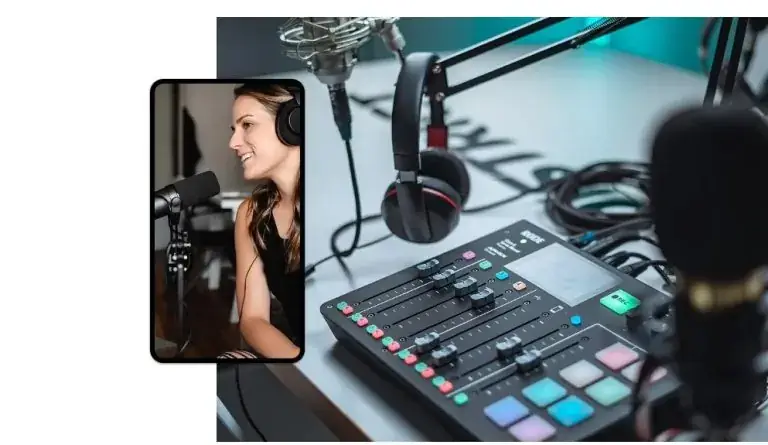
Audio quality is paramount in podcasting. Poor sound can distract listeners and diminish the overall experience. According to a study by NPR, 75% of listeners will skip over a podcast with subpar audio quality. For podcasters aiming to build a loyal audience, investing in quality recording practices is non-negotiable.
The Impact of Audio Quality on Audience Retention
Listeners are more likely to stay engaged with clear, crisp audio. According to research by Acast, podcasts with high-quality audio see a 30% higher retention rate compared to those with poor sound. This statistic highlights the importance of sound quality not just for enjoyment, but also for audience growth and retention.
Essential Equipment for Remote Podcast Recording
To achieve studio-quality sound, you need the right equipment. Here’s a breakdown of essential tools:
- Microphone: Invest in a high-quality USB microphone or an XLR microphone with an audio interface. Popular choices include the Audio-Technica AT2020 and the Shure MV7.
- Headphones: Use closed-back headphones to monitor audio without feedback. The Sony MDR-7506 is a popular choice among professionals.
- Audio Interface: If using an XLR microphone, an audio interface like the Focusrite Scarlett 2i2 is essential for connecting to your computer.
- Pop Filter: A pop filter helps reduce plosive sounds. This inexpensive accessory can significantly improve your audio quality.
- Acoustic Treatment: If possible, use acoustic panels or soundproofing to minimize echo and background noise.
Choosing the Right Software for Remote Recording
Choosing the right software is crucial for seamless recording and editing. Here are some of the top options:
| Software | Features | Price |
|---|---|---|
| Zoom | Easy remote recording, video options, cloud storage | Free/Subscription |
| SquadCast | High-quality audio, separate tracks for guests, user-friendly | Starting at $20/month |
| Zencastr | Browser-based, local recording, automatic backups | Free/Subscription |
| Riverside.fm | High-resolution recording, video options, live streaming | Starting at $19/month |
Each of these platforms offers unique features that cater to different needs. For instance, Riverside.fm is particularly suited for podcasters looking for high-quality video and audio recordings, while SquadCast excels in providing separate audio tracks for each participant.
Preparing for Your Remote Interview
Preparation is key to a successful podcast interview. Here are steps to ensure you and your guest are ready:
- Schedule in Advance: Coordinate with your guest to find a suitable time, and send a calendar invite to confirm.
- Test Equipment: Conduct a test run to check audio levels and equipment functionality. This step can prevent technical issues during the actual recording.
- Set a Comfortable Environment: Encourage your guest to find a quiet space with minimal distractions. The right environment can significantly enhance audio quality.
- Share Questions Ahead of Time: Provide your guest with an outline of topics or questions you plan to discuss. This helps them prepare and ensures a smoother conversation.
Recording Best Practices for Studio-Quality Sound
To achieve the best sound quality during recording, follow these best practices:
- Use Headphones: Both you and your guest should wear headphones to prevent audio feedback and echoes.
- Monitor Levels: Keep an eye on audio levels throughout the recording. Aim for levels that peak at around -6dB to -3dB.
- Speak Clearly and Slowly: Encourage your guest to articulate their thoughts clearly. This not only enhances comprehension but also improves audio clarity.
- Record in WAV Format: If possible, record in WAV format instead of MP3 to preserve audio quality for post-production.
- Minimize Background Noise: Close windows, turn off fans, and silence phones to reduce background noise during the recording.
Post-Production Tips to Enhance Audio Quality
Post-production is where you can polish your audio to achieve that studio-quality sound. Here are some key tips:
- Editing Software: Use professional editing software like Adobe Audition or Final Cut Pro for editing your podcast.
- Noise Reduction: Use noise reduction tools to eliminate background noise and enhance clarity.
- Equalization: Adjust the equalization settings to balance frequencies and enhance vocal clarity.
- Add Intro and Outro: Including a professional intro and outro can significantly enhance your podcast’s production value.
- Export in High Quality: When exporting your final audio file, choose the highest quality settings available.
Case Study: Successful Remote Podcasts
To illustrate the effectiveness of these techniques, let’s examine a few successful podcasts that utilize remote recording:
1. The Tim Ferriss Show
Tim Ferriss frequently interviews guests remotely, leveraging high-quality microphones and editing techniques to deliver an engaging listening experience.
2. The Joe Rogan Experience
Joe Rogan’s podcast stands out for its high production values, achieved through careful planning, quality equipment, and expert post-production.
3. The Daily
This podcast by The New York Times showcases the importance of clear audio and effective editing in delivering compelling storytelling.
These examples demonstrate that with the right preparation and tools, remote podcasts can achieve studio-quality sound, captivating audiences worldwide.
FAQ: Common Questions About Remote Podcasting
What equipment do I need for remote podcasting?
For remote podcasting, you’ll need a good microphone, headphones, an audio interface (if using an XLR mic), and reliable recording software.
How can I improve my remote podcast audio quality?
To improve audio quality, use a quality microphone, record in a quiet environment, and utilize post-production editing tools.
Is it necessary to use headphones during recording?
Yes, using headphones can prevent audio feedback and echoes, ensuring clearer sound quality.
What is the best software for recording remote podcasts?
Popular software options include Zoom, SquadCast, Zencastr, and Riverside.fm, each offering unique features for podcasters.
How can I edit my podcast audio?
You can edit your podcast audio using software like Adobe Audition or Audacity, which allow for noise reduction and equalization.
Should I record in WAV or MP3 format?
WAV format is recommended for recording as it preserves audio quality better than MP3.
What are some tips for interviewing guests remotely?
Prepare questions in advance, test equipment before recording, and create a comfortable environment for your guest.
How important is post-production in podcasting?
Post-production is crucial for enhancing audio quality, removing distractions, and ensuring a polished final product.
Conclusion
Recording a remote podcast interview that sounds studio-quality is entirely achievable with the right tools, preparation, and techniques. By investing in quality equipment, choosing the right software, and following best practices for recording and post-production, you can create engaging content that resonates with your audience. At World Park, we offer professional podcast studios equipped with enterprise-grade technology infrastructure, ensuring your podcasting journey is smooth and successful. Ready to elevate your podcasting experience? Contact us today to learn more about our podcast studio rentals in Alpharetta.
- Your Ultimate Guide to Launching a Professional Podcast in Alpharetta
- Podcast Studio vs. Home Recording: Why Audio Quality Makes or Breaks Your Show
- Podcast Legal Basics: Music Licensing, Fair Use & Guest Release Forms
- Launching a Podcast Network: Expert Insights from Multi-Show Producers
- Podcast studio on campus
