

The Ultimate Guide to the Best Social Media Scheduling Tools for Content Creators in 2026
In the fast-paced world of content creation, the ability to manage and schedule social media posts efficiently is crucial for success. As we step into 2026, content creators are faced with an array of tools designed to streamline their social media management processes. This article will explore the best social media scheduling tools for content creators in 2026, helping you choose the right platform to elevate your brand’s online presence. We’ll dive deep into features, pricing, user experiences, and how these tools can integrate with your workflow, particularly in collaborative environments like World Park’s innovative ecosystem.
Why Social Media Scheduling is Essential for Content Creators
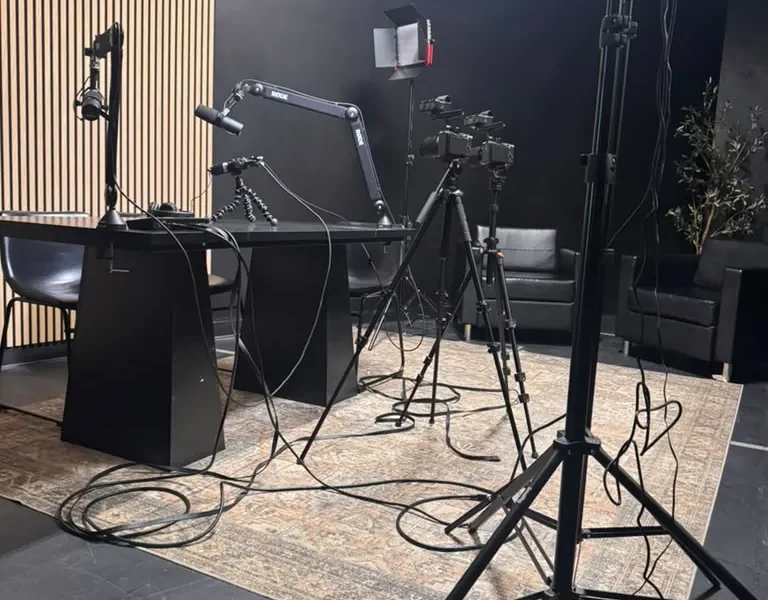
In 2026, content creators are navigating a landscape that requires not only creativity but also strategic planning. Social media scheduling tools provide the structure needed to maintain a consistent online presence, allowing creators to focus on content quality instead of manual posting. According to a 2025 report from the Pew Research Center, 72% of content creators reported increased engagement when utilizing scheduling tools compared to traditional posting methods.
These tools also offer analytical features that help creators understand their audience better, enabling them to tailor content to meet viewer preferences. Additionally, platforms like World Park provide environments conducive to collaboration among content creators, enhancing the effectiveness of social media strategies.
Top Social Media Scheduling Tools in 2026
As we explore the best social media scheduling tools available in 2026, it’s essential to consider factors such as usability, integrations, analytics, and pricing. Here are some of the top contenders:
1. Hootsuite
Hootsuite remains a leader in social media management, offering robust scheduling capabilities across multiple platforms. In 2026, it has enhanced its user interface and analytics features, making it easier for content creators to track engagement metrics and optimize content accordingly.
2. Buffer
Buffer is known for its simplicity and effectiveness. It allows users to schedule posts across various social media platforms seamlessly. The tool’s analytics dashboard provides insights that can inform content strategy, making it a favorite among creators focused on growth.
3. Later
Later specializes in visual content scheduling, making it ideal for Instagram and Pinterest users. Its drag-and-drop interface simplifies the process of planning and scheduling posts, and it offers link-in-bio tools that can drive traffic to creators’ websites.
4. Sprout Social
Sprout Social is geared towards businesses and larger teams. Its comprehensive suite includes scheduling, analytics, and customer relationship management features. This tool is particularly useful for content creators who collaborate with brands or work in team environments like those at World Park.
5. CoSchedule
CoSchedule integrates with various marketing tools, making it perfect for content creators who want to align their social media efforts with broader marketing strategies. The tool’s calendar view allows for a more organized approach to scheduling and content planning.
Comparison of Social Media Scheduling Tools
To provide a clearer view of how these tools stack up against each other, here’s a comparison table highlighting key features:
| Tool | Platforms Supported | Analytics | Price | Best For |
|---|---|---|---|---|
| Hootsuite | All major platforms | Yes | $19/month | Comprehensive management |
| Buffer | All major platforms | Yes | $15/month | Simple scheduling |
| Later | Instagram, Pinterest | Limited | $12.50/month | Visual content |
| Sprout Social | All major platforms | Yes | $249/month | Business and teams |
| CoSchedule | All major platforms | Yes | $29/month | Integrated marketing |
Expert Tips for Using Scheduling Tools Effectively
To maximize the benefits of social media scheduling tools, here are some expert tips:
- Utilize Analytics: Leverage the analytics features of your chosen tool to assess which types of content perform best.
- Plan Ahead: Schedule your posts at least a week in advance to ensure a consistent flow of content.
- Engage with Your Audience: Schedule time to respond to comments and messages. Engagement is key to building a loyal following.
- Test Different Formats: Use A/B testing to figure out what types of posts resonate best with your audience.
By employing these strategies, content creators can enhance their social media presence and make the most of the scheduling tools available in 2026.
Conclusion
In summary, social media scheduling tools are indispensable for content creators looking to streamline their processes and enhance their online presence. Tools like Hootsuite, Buffer, Later, Sprout Social, and CoSchedule offer unique features tailored to different needs. By choosing the right tool and applying expert strategies, you can elevate your content creation efforts and connect with your audience more effectively. For those in need of a collaborative workspace to support their content creation, consider exploring the modern coworking spaces offered by World Park.
Frequently Asked Questions
1. What are social media scheduling tools?
Social media scheduling tools are software applications that allow users to create and schedule posts across various social media platforms in advance.
2. Why should content creators use scheduling tools?
Scheduling tools help content creators maintain a consistent posting schedule, analyze engagement metrics, and save time on manual posting.
3. Are social media scheduling tools free?
Many social media scheduling tools offer free plans with limited features, while others require a subscription for full access.
4. How do I choose the right scheduling tool?
Consider factors such as the platforms you use, your budget, and the features that are most important to your content strategy.
5. Can I schedule posts for multiple platforms at once?
Yes, most scheduling tools allow you to schedule posts for multiple social media platforms simultaneously.
6. What is the best time to post on social media?
The best time to post varies by platform and audience; using analytics from your scheduling tool can help determine optimal posting times.
7. Can I edit scheduled posts?
Yes, most tools allow you to edit or delete scheduled posts at any time before they go live.
8. How can I track the performance of my posts?
Most social media scheduling tools come with analytics features that provide insights into engagement, reach, and other performance metrics.
