

How to Set Up Cloud-Based Disaster Recovery for Under $500/Month
In today’s digital landscape, the importance of having a robust disaster recovery (DR) plan cannot be overstated. Businesses of all sizes are increasingly reliant on data, making it crucial to safeguard against unexpected disruptions. Cloud-based disaster recovery offers a cost-effective and scalable solution for organizations looking to protect their critical assets without breaking the bank. In this comprehensive guide, we’ll explore how to set up cloud-based disaster recovery for under $500 per month, ensuring your business remains resilient in the face of adversity.
Understanding Cloud-Based Disaster Recovery
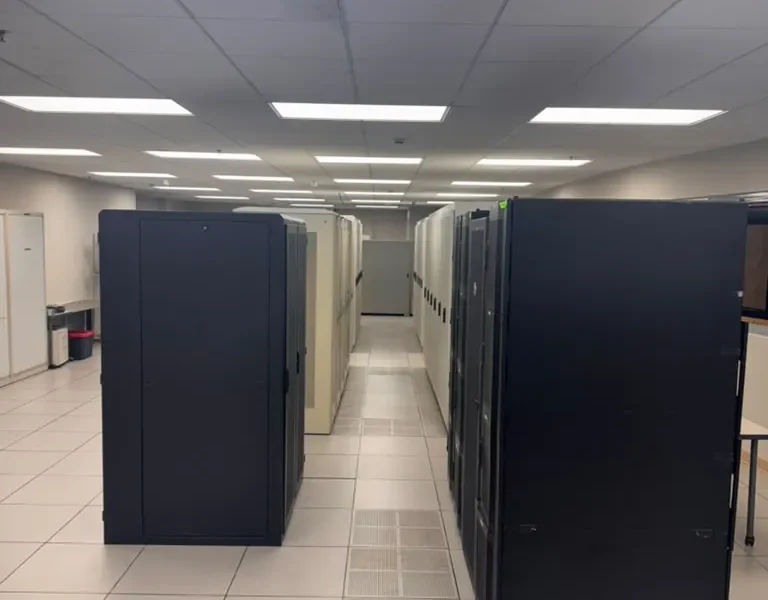
Cloud-based disaster recovery is a strategy that leverages cloud computing resources and services to protect and recover data and applications in the event of a disaster. Unlike traditional disaster recovery methods, which often require extensive on-premises infrastructure and resources, cloud-based solutions provide flexibility and scalability, making them ideal for businesses of all sizes.
At its core, cloud-based disaster recovery involves creating a backup of your critical data and applications in a remote cloud environment. This ensures that, in the event of a data loss incident such as a natural disaster, cyberattack, or hardware failure, your business can quickly recover and resume operations with minimal downtime.
Benefits of Cloud-Based Disaster Recovery
Implementing a cloud-based disaster recovery solution offers numerous advantages:
- Cost-Effectiveness: With options available for under $500 per month, cloud DR solutions are often more affordable than traditional DR setups.
- Scalability: As your business grows, your cloud DR solution can easily scale to accommodate increased data and application needs.
- Accessibility: Cloud-based solutions allow for remote access to your data and applications, ensuring continuity even when on-site resources are compromised.
- Automation: Many cloud DR solutions offer automated backup processes, reducing the risk of human error and ensuring data integrity.
Key Components of a Cloud-Based DR Plan
To effectively set up cloud-based disaster recovery, it’s essential to understand its key components:
- Backup Strategy: Define what data and applications need to be backed up and how frequently. Consider using the 3-2-1 rule: three total copies of data, two copies on different storage media, and one copy off-site.
- Recovery Point Objective (RPO): Determine how much data your business can afford to lose, which will dictate your backup frequency.
- Recovery Time Objective (RTO): Establish how quickly you need to restore operations after a disaster. This will influence your choice of DR solution.
- Testing and Validation: Regularly test and validate your DR plan to ensure it is effective and meets your RTO and RPO requirements.
Step-by-Step Guide to Setting Up Cloud-Based Disaster Recovery
Setting up cloud-based disaster recovery can be accomplished in several steps:
- Assess Your Needs: Evaluate your business’s specific data backup and recovery requirements. Identify critical data and applications that need protection.
- Choose a Cloud Provider: Select a reputable cloud provider that aligns with your budget and needs. Look for features such as automated backups, scalability, and compliance with industry regulations.
- Develop a Backup Strategy: Implement a backup strategy that includes frequency, data types, and storage locations. Consider using a hybrid approach that combines cloud and on-premises backups for added security.
- Configure Recovery Settings: Set up your cloud environment to allow for quick recovery. This includes defining your RPO and RTO, as well as configuring access controls.
- Test Your DR Plan: Regularly conduct tests to ensure your DR plan works as intended. This helps identify any weaknesses and allows for adjustments.
Cost Breakdown: Setting Up DR for Under $500
Achieving a cloud-based disaster recovery setup for under $500 per month is feasible with careful planning and execution. Here’s a breakdown of potential costs:
| Item | Estimated Monthly Cost |
|---|---|
| Cloud Storage | $100 |
| Backup Software | $50 |
| Data Transfer Costs | $50 |
| Monitoring and Management Tools | $100 |
| Additional Cloud Services (e.g., Security, Compliance) | $100 |
| Total Estimated Cost | $500 |
Best Practices for Cloud-Based Disaster Recovery
To ensure your cloud-based disaster recovery solution is effective, consider the following best practices:
- Regularly Update Your DR Plan: As your business evolves, so should your disaster recovery plan. Regular updates ensure that your DR strategy accommodates new technologies and processes.
- Implement Security Measures: Protect your data with encryption, access controls, and regular security audits to minimize the risk of breaches.
- Educate Your Team: Ensure that your staff is aware of the DR plan and their responsibilities during a disaster. Regular training sessions can help reinforce this knowledge.
- Utilize Monitoring Tools: Leverage monitoring tools to track the performance and effectiveness of your DR plan, allowing for timely adjustments as needed.
Comparison of Disaster Recovery Solutions
When considering disaster recovery solutions, it’s essential to compare different offerings. Below is a comparison of three popular cloud-based disaster recovery solutions:
| Solution | Cost | RPO | RTO | Features |
|---|---|---|---|---|
| AWS Backup | $400/month | 1 hour | 4 hours | Automated backups, compliance options, cross-region replication |
| Azure Site Recovery | $450/month | 30 minutes | 1 hour | Integration with Azure services, failover testing, VM replication |
| Google Cloud Backup and DR | $500/month | 1 hour | 2 hours | Integrated with Google Cloud, automated backups, scalable storage |
FAQs
What is cloud-based disaster recovery?
Cloud-based disaster recovery is a strategy that uses cloud computing resources to back up and recover critical data and applications in case of a disaster.
How much does cloud-based disaster recovery cost?
Cloud-based disaster recovery can be set up for under $500 per month, depending on the provider and services selected.
What is RPO in disaster recovery?
Recovery Point Objective (RPO) is the maximum acceptable amount of data loss measured in time. It indicates how frequently backups should occur.
What is RTO in disaster recovery?
Recovery Time Objective (RTO) is the maximum acceptable amount of time to restore operations after a disaster.
How often should I test my disaster recovery plan?
It’s recommended to test your disaster recovery plan at least twice a year to ensure its effectiveness and identify any areas for improvement.
Can I use multiple cloud providers for disaster recovery?
Yes, using multiple cloud providers can enhance redundancy and reliability, ensuring your data is safe even if one provider experiences an outage.
What data should I include in my disaster recovery plan?
Include all critical data and applications necessary for your business operations, as well as any compliance-related data.
How do I choose a cloud provider for disaster recovery?
Evaluate providers based on cost, features, scalability, security measures, and customer support to find the best fit for your needs.
Conclusion
In conclusion, setting up cloud-based disaster recovery for under $500 per month is a viable option for businesses looking to protect their data and maintain continuity in the face of challenges. By understanding the key components, following a structured setup process, and implementing best practices, organizations can ensure their disaster recovery plans are effective and resilient. For more information on how World Park can support your business with cloud solutions and technology infrastructure, visit our data center page.
