

On-Premise vs. Cloud Storage: What’s Best for Alpharetta Startups?
In the vibrant entrepreneurial landscape of Alpharetta, startups are continually seeking ways to optimize their operations and enhance their productivity. One critical decision that many startups face is the choice between on-premise storage solutions and cloud storage systems. With each option presenting unique advantages and challenges, understanding these differences is essential for making an informed choice. In this article, we will delve deep into the pros and cons of on-premise and cloud storage, helping Alpharetta startups determine the best fit for their specific needs.
Understanding On-Premise and Cloud Storage
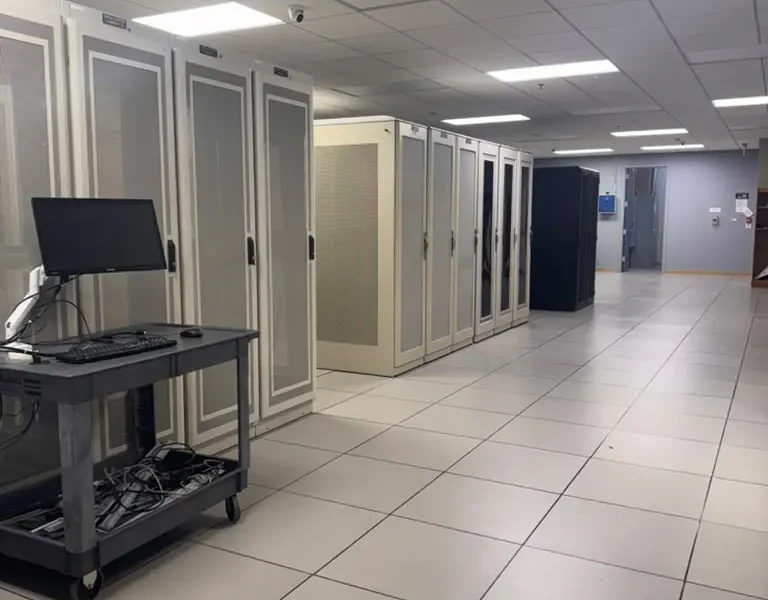
Before diving into the advantages and disadvantages, it’s crucial to define what on-premise and cloud storage solutions entail.
What is On-Premise Storage?
On-premise storage refers to data storage solutions where the hardware and software are installed locally on a company’s own servers. This means that all data is stored within the physical premises of the business. Startups opting for this solution must invest in hardware, maintain the infrastructure, and ensure robust security protocols.
What is Cloud Storage?
Cloud storage, on the other hand, involves storing data on remote servers managed by third-party providers. This data can be accessed over the internet, allowing for greater flexibility and scalability. Major players in the cloud storage market include Google Drive, Dropbox, and Amazon Web Services (AWS).
Evaluating the Pros and Cons
Let’s explore the benefits and drawbacks of both on-premise and cloud storage solutions to help Alpharetta startups make an informed decision.
Advantages of On-Premise Storage
1. Enhanced Security
For startups handling sensitive data, on-premise storage can provide an added layer of security. Since data is stored locally, businesses have complete control over their security measures, including firewalls, encryption methods, and access controls.
2. Customization
On-premise solutions allow businesses to tailor their storage infrastructure to meet specific needs. Startups can configure their storage systems to align with their operational requirements and growth plans.
3. Compliance and Data Sovereignty
For companies dealing with strict regulatory compliance, such as healthcare or finance, on-premise storage can help ensure that they meet legal requirements regarding data handling and storage.
Disadvantages of On-Premise Storage
1. High Initial Costs
Setting up an on-premise storage solution requires significant upfront investment in hardware and software. For startups operating on tight budgets, this can be a considerable barrier.
2. Maintenance Responsibility
With on-premise solutions, the responsibility for maintenance, upgrades, and troubleshooting falls entirely on the startup. This can divert valuable resources and time away from core business activities.
3. Limited Scalability
As a business grows, the on-premise infrastructure may require additional investments in hardware and space, making it less flexible than cloud solutions.
Advantages of Cloud Storage
1. Scalability
Cloud storage is inherently scalable, allowing startups to increase or decrease their storage capacity based on their current needs without significant capital investments.
2. Cost-Effectiveness
With cloud storage, startups can convert their capital expenditure into operational expenditure, paying only for what they use. This can be especially advantageous for startups with fluctuating storage needs.
3. Accessibility
Cloud storage enables access to data from anywhere with an internet connection. This flexibility is ideal for startups with remote teams or those that require access to data while on the go.
Disadvantages of Cloud Storage
1. Security Concerns
Although cloud storage providers implement strong security measures, some businesses may still feel uneasy about storing sensitive data on third-party servers.
2. Dependence on Internet Connectivity
Accessing cloud storage requires a stable internet connection. For startups in areas with unreliable connectivity, this could pose challenges in accessing critical data.
3. Ongoing Costs
While cloud storage can be cost-effective, the ongoing subscription fees can add up over time. Startups must carefully evaluate their usage to avoid unexpected costs.
Making the Right Choice for Your Startup
When determining whether on-premise or cloud storage is best for your startup in Alpharetta, consider the following factors:
1. Nature of Your Business
Evaluate the type of data you handle and the importance of security and compliance. Businesses in regulated industries may benefit from on-premise storage.
2. Budget Constraints
Consider your budget for both initial setup and ongoing costs. Cloud storage may provide a more flexible solution for cash-strapped startups.
3. Growth Projections
Think about your projected growth. If you anticipate rapid scaling, a cloud solution may be more suitable to accommodate fluctuating needs.
4. Workforce Dynamics
If your team is remote or operates from various locations, cloud storage is likely the better choice due to its accessibility.
Conclusion
The choice between on-premise and cloud storage ultimately depends on the unique needs and circumstances of your startup. Both solutions offer distinct advantages and disadvantages that must be weighed carefully. By assessing your business’s specific requirements, budget, and growth projections, you can make a more informed decision that aligns with your operational goals. As you embark on this journey, remember that World Park provides modern private offices and coworking environments, as well as enterprise-grade technology infrastructure that can support your startup’s storage needs. Whether you choose on-premise or cloud storage, ensuring you have the right workspace and resources is crucial for your success.
FAQs
1. What is the main difference between on-premise and cloud storage?
The main difference lies in where the data is stored. On-premise storage is located on local servers, while cloud storage is hosted remotely by third-party providers.
2. Which option is more secure for sensitive data?
On-premise storage can provide enhanced security since businesses have complete control over their data and security measures.
3. Can I switch from on-premise storage to cloud storage later?
Yes, businesses can migrate data from on-premise to cloud storage, though it may require planning and resources to ensure a smooth transition.
4. What are the cost considerations for cloud storage?
Cloud storage typically involves ongoing subscription fees based on usage, which can add up over time, especially for high-volume users.
5. Is cloud storage suitable for businesses with strict compliance requirements?
While cloud storage can meet compliance needs, businesses in regulated industries may prefer on-premise solutions for greater control.
6. How does internet connectivity impact cloud storage usage?
Reliable internet connectivity is essential for accessing cloud storage; without it, businesses may face challenges in retrieving data.
7. What are the maintenance responsibilities for on-premise storage?
With on-premise storage, businesses are responsible for hardware maintenance, software updates, and troubleshooting issues.
8. Can startups benefit from using a hybrid storage solution?
Yes, hybrid solutions that combine on-premise and cloud storage can provide flexibility, allowing startups to leverage the strengths of both options.
9. How does scalability differ between on-premise and cloud storage?
Cloud storage is inherently more scalable, allowing businesses to adjust their storage capacity easily, while on-premise solutions may require significant investments for expansion.
10. What factors should startups consider when choosing a storage solution?
Startups should consider factors such as budget, data sensitivity, growth projections, and team dynamics when selecting a storage solution.
- What Is MarQi Cloud and How Does It Help Georgia Businesses Scale?
- Why Local Data Centers Beat AWS for Small Businesses in Georgia
- Why Small Businesses in Georgia Are Ditching Big Cloud Providers
- How to Protect Your Business Data With a Local Data Center in Georgia
- Data Sovereignty and Cloud Storage: Essential Insights for Georgia Businesses
- On-site data center colocation and disaster recovery
