

The Ultimate Guide to the Best Video Editing Software for Business Content Creators in 2026
In today’s digital landscape, video content has emerged as a critical component for businesses looking to engage their audiences. As we step into 2026, the demand for high-quality video production continues to rise, making it essential for content creators to select the right video editing software. This comprehensive guide will explore the best video editing software options available for business content creators, highlighting their features, strengths, and how they can elevate your video production quality.
Why Video Editing Software Matters for Businesses
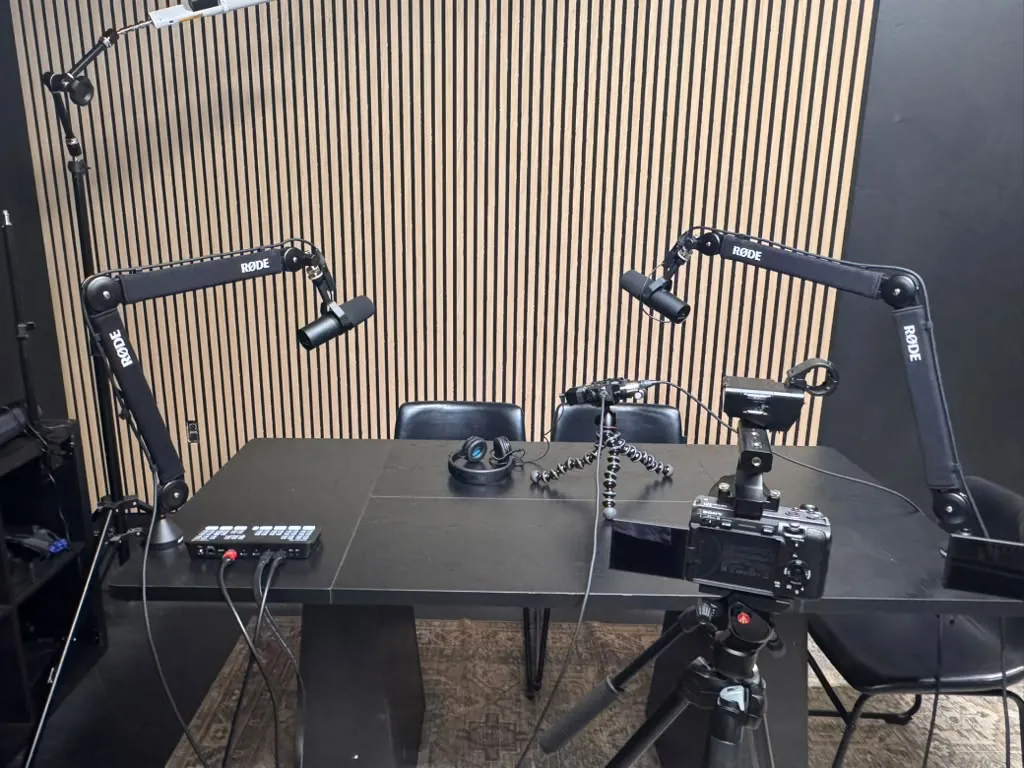
Video editing software is a vital tool for businesses aiming to create compelling content that resonates with their target audience. As digital marketing strategies evolve, video has proven to be one of the most effective mediums for communication. According to a report by Wyzowl, 86% of businesses use video as a marketing tool, with 93% of marketers indicating that video is an important part of their strategy. This underscores the importance of selecting the right video editing software to produce high-quality content that captures attention and drives engagement.
Key Features to Look for in Video Editing Software
When evaluating video editing software, it’s crucial to consider several key features that can enhance your editing experience and the quality of your output. Here are some essential features to keep in mind:
- User-Friendly Interface: An intuitive interface allows for easier navigation and quicker learning curves, especially for beginners.
- Multiple Export Formats: The ability to export videos in various formats ensures compatibility across different platforms.
- Advanced Editing Tools: Features such as multi-track editing, color correction, and audio editing are essential for producing professional-quality videos.
- Cloud Storage Integration: Integrated cloud storage enables seamless collaboration and access to projects from anywhere.
- Support and Resources: Access to tutorials, customer support, and a community forum can significantly enhance the user experience.
Top Video Editing Software for Business Content Creators in 2026
As of 2026, several video editing software options stand out for their robust features and suitability for business content creators. Here are our top picks:
1. Adobe Premiere Pro
Adobe Premiere Pro remains a leading choice for professional video editors and businesses alike. Known for its powerful features, this software offers:
- Multi-camera editing
- Advanced color grading tools
- Seamless integration with other Adobe products, such as After Effects and Photoshop
With its subscription model, businesses can leverage the latest updates and features as they are released, making it a cost-effective solution for ongoing video production needs.
2. Final Cut Pro
Exclusive to Mac users, Final Cut Pro is renowned for its speed and efficiency. Key features include:
- Magnetic Timeline for easy editing
- Robust 360-degree video editing capabilities
- Powerful media organization tools
Final Cut Pro is ideal for businesses that prioritize high-quality video production and require a software solution that can handle complex projects.
3. DaVinci Resolve
DaVinci Resolve is a versatile option that combines professional 8K editing, visual effects, motion graphics, and audio post-production. Its standout features include:
- Advanced color correction tools
- Collaboration features for team projects
- A free version that offers a substantial array of tools
This software is perfect for businesses looking to create visually stunning content without breaking the bank.
4. Filmora
For those seeking a user-friendly experience, Filmora is an excellent choice. It offers:
- A simple drag-and-drop interface
- A wide variety of built-in effects and transitions
- Affordable pricing options
Filmora is ideal for small businesses and content creators who need a straightforward solution without sacrificing quality.
5. Camtasia
Camtasia is particularly beneficial for creating educational and training videos. Its features include:
- Screen recording capabilities
- Built-in quizzes and interactivity
- Easy sharing options
This software is perfect for businesses focusing on instructional content or webinars.
Comparison Table of Video Editing Software
| Software | Key Features | Best For | Price |
|---|---|---|---|
| Adobe Premiere Pro | Multi-camera editing, color grading | Professional video editors | Subscription-based |
| Final Cut Pro | Magnetic Timeline, 360-degree editing | Mac users | One-time purchase |
| DaVinci Resolve | Color correction, collaboration | Visual effects and color grading | Free and paid versions |
| Filmora | Drag-and-drop interface, effects | Small businesses | One-time purchase |
| Camtasia | Screen recording, interactivity | Educational content | One-time purchase |
Expert Tips for Choosing the Right Software
Selecting the right video editing software can be daunting, especially with so many options available. Here are some expert tips to help you make an informed decision:
- Identify Your Needs: Determine the type of videos you plan to create and the features that are most important to you.
- Consider Your Budget: Evaluate both upfront costs and ongoing subscription fees to find a solution that fits your financial plan.
- Look for Community Support: A robust user community can provide valuable resources, tutorials, and troubleshooting assistance.
FAQs
What is the best video editing software for beginners?
Filmora is widely recommended for beginners due to its user-friendly interface and affordable pricing.
Can I use video editing software on a Mac?
Yes, software like Final Cut Pro and DaVinci Resolve are excellent options for Mac users.
Is there free video editing software available?
Yes, DaVinci Resolve offers a free version with a comprehensive set of features for video editing.
What features should I look for in video editing software?
Look for features like multi-camera editing, color grading tools, cloud storage integration, and user-friendly interfaces.
How much should I expect to pay for video editing software?
Prices can range from free options like DaVinci Resolve to subscription models that can cost $20-$50 per month.
Can I collaborate with others using video editing software?
Many software options, like DaVinci Resolve, offer collaboration features that allow multiple users to work on projects simultaneously.
Is video editing software necessary for business?
Yes, video editing software is essential for businesses looking to create high-quality video content that engages their audience and promotes their brand.
What are the benefits of using video in business marketing?
Using video in marketing increases engagement, improves brand visibility, and can significantly boost conversion rates.
Conclusion
As we move further into 2026, the importance of high-quality video content for businesses cannot be overstated. Selecting the best video editing software is crucial for content creators who want to produce engaging and professional videos. Whether you choose Adobe Premiere Pro for its advanced features or Filmora for its ease of use, the right software can significantly impact your video production quality. For more information on how to enhance your content creation process, explore our community resources at World Park, where we support entrepreneurs and creators in their journey.
- Ultimate Guide to Building a Corporate Video Library: Organizing & Repurposing Assets
- Studio vs. On-Location Video Shoots: Which is Best for You?
- The Ultimate Business Case for Professional Video Production Over DIY
- The Complete Guide to Green Screen Video Production for Businesses
- Ultimate Guide to Repurposing Long-Form Videos into Short-Form Content
