

Ultimate Guide to Building a Corporate Video Library: Organizing & Repurposing Assets
In today’s fast-paced digital landscape, video content has emerged as one of the most effective mediums for communication, marketing, and branding. Companies that harness the power of video can engage audiences more effectively and convey their messages with clarity and creativity. However, as organizations create an increasing amount of video content, the need for a well-organized corporate video library becomes paramount. This article will guide you through the essential steps to build a corporate video library that not only organizes your video assets but also maximizes their potential through repurposing strategies. By the end, you will understand how to streamline your video content management and leverage it for various marketing and communication needs.
Understanding the Importance of a Corporate Video Library
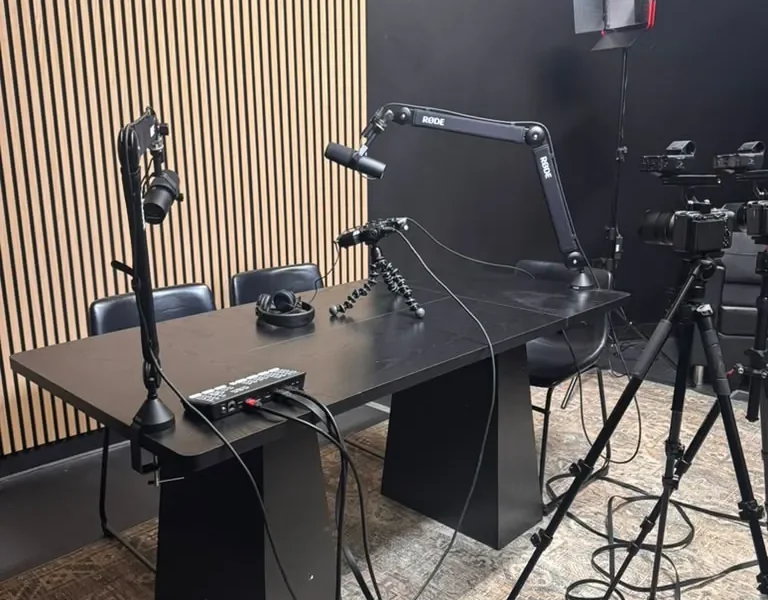
A corporate video library serves as a centralized repository for all your video assets. This library not only helps in organizing videos but also plays a crucial role in enhancing your marketing strategy. Here are some key reasons why establishing a corporate video library is essential:
- Accessibility: A well-organized video library enables team members to easily find and access video content, saving time and effort.
- Consistency: Maintaining brand consistency in messaging becomes easier when all video assets are stored in one place.
- Maximizing ROI: By repurposing existing videos, companies can extend the lifecycle of content and maximize return on investment.
- Streamlined Collaboration: A centralized library enhances collaboration between departments, allowing for better communication and project alignment.
At World Park, we recognize the significance of a modern workspace that supports entrepreneurs and businesses in their media production endeavors. Our professional video production studios provide the perfect environment for creating high-quality video content that can be easily integrated into your corporate video library.
Planning Your Corporate Video Library
Before diving into the organization of your video assets, it is essential to plan your corporate video library strategically. Here are the steps to consider:
- Define Your Goals: Determine what you want to achieve with your video library. Is it primarily for marketing, internal training, or customer engagement? Clear goals will guide your content creation and organization.
- Identify Your Audience: Understanding who will be using the video library is critical. Tailor your content to meet the needs of different audience segments, such as employees, clients, or partners.
- Choose a Video Management System: Select a video management system (VMS) that suits your organization’s needs. Look for features like search capabilities, user access controls, and analytics. Consider platforms like Wistia, Vimeo, or Kaltura.
- Establish a Naming Convention: Consistent naming conventions for your video files will make it easier to locate and manage assets. Include relevant keywords and dates in your file names.
Organizing Your Video Assets
Once you have a plan in place, it’s time to organize your video assets effectively. Here are some best practices:
1. Categorization
Organize your videos into categories based on content type, purpose, or audience. Common categories include:
- Promotional Videos
- Training and Onboarding
- Webinars and Live Events
- Testimonials and Case Studies
2. Tagging
Use tags to enhance searchability within your video library. Tags can include keywords related to the video content, production date, and target audience.
3. Thumbnails and Descriptions
Provide clear thumbnails and descriptions for each video. This will help users quickly identify the content and its relevance. Ensure descriptions include keywords relevant to your organization.
4. Implementing a Search Functionality
A robust search functionality is essential for any video library. Ensure that users can easily search by keywords, tags, or categories to find relevant videos.
Repurposing Video Content for Maximum Impact
Repurposing video content is an effective way to extend the reach and lifespan of your video assets. Here are some strategies to consider:
1. Create Short Clips for Social Media
Extract key moments from longer videos and create short clips tailored for social media platforms. This not only broadens your audience but also drives engagement.
2. Develop Video Series
Instead of releasing standalone videos, consider creating a series on a specific topic. This encourages viewers to return for more content and builds a loyal audience.
3. Convert Videos into Other Formats
Transform your videos into written content, such as blog posts or whitepapers. This allows you to reach audiences who prefer reading over watching.
4. Utilize Video in Email Marketing
Include videos in your email campaigns to enhance engagement. Personalized video messages can significantly increase open and click-through rates.
Tools and Technologies for Managing Video Libraries
To effectively manage your corporate video library, consider the following tools and technologies:
- Video Management Systems: As mentioned, platforms like Wistia, Vimeo, and Kaltura offer robust features for organizing and sharing video content.
- Cloud Storage Solutions: Services like Google Drive or Dropbox can be used for additional backup and accessibility.
- Analytics Tools: Leverage analytics tools to track video performance and viewer engagement. Understanding viewer behavior can inform future content creation.
Expert Tips for Effective Video Management
Here are additional tips for managing your corporate video library:
- Establish a content calendar to plan future video production and updates.
- Encourage feedback from users to improve the organization and accessibility of videos.
- Implement security measures to protect proprietary video content.
Case Studies: Successful Corporate Video Libraries
Examining successful corporate video libraries can provide valuable insights. Here are a few examples:
1. HubSpot
HubSpot’s video library is categorized by topics such as marketing, sales, and customer service. They utilize tags effectively and provide detailed descriptions for each video, enhancing user experience.
2. Microsoft
Microsoft’s video library focuses on educational content, offering webinars and tutorials that are easily searchable. Their video assets are repurposed across various platforms, maximizing visibility.
3. TED
TED’s video library not only organizes talks by topic but also allows users to explore content by duration and speaker. They regularly update their content, keeping it fresh and relevant.
Conclusion
Building a corporate video library is an essential step for organizations looking to harness the power of video content effectively. By organizing your video assets and implementing strategies for repurposing, you can maximize the impact of your videos and streamline your communication efforts. At World Park, we understand the importance of high-quality video production and offer state-of-the-art facilities to help you create compelling content that can be seamlessly integrated into your corporate video library. Start your journey towards a well-organized video library today!
FAQs
What is a corporate video library?
A corporate video library is a centralized repository where organizations store, manage, and organize their video assets for easy access and use.
Why is it important to have a video library?
A video library enhances accessibility, ensures brand consistency, maximizes ROI on video content, and fosters collaboration within teams.
How do I organize my video assets?
Organize your video assets by categorizing them, tagging them for searchability, and providing clear thumbnails and descriptions.
What tools can I use to manage my video library?
Consider using video management systems like Wistia or Vimeo, along with cloud storage solutions like Google Drive for backup.
How can I repurpose video content?
You can repurpose video content by creating short clips for social media, developing video series, converting videos into written content, and incorporating videos into email marketing.
What are some best practices for video management?
Best practices include regularly reviewing your video library, establishing a content calendar, and encouraging user feedback.
Can I use videos for email marketing?
Yes, including videos in your email campaigns can enhance engagement and improve open and click-through rates.
How often should I update my video library?
Regularly review and update your video library to remove outdated content and ensure all links and descriptions are current.
- Studio vs. On-Location Video Shoots: Which is Best for You?
- The Ultimate Technical Guide to 4K Video Production: Equipment, Workflow & Delivery
- The Ultimate Guide to the Best Video Editing Software for Business Content Creators in 2026
- The Ultimate Business Case for Professional Video Production Over DIY
- The Ultimate Guide to Corporate Event Videography: Capturing Milestones
