

The Ultimate Technical Guide to 4K Video Production: Equipment, Workflow & Delivery
In the ever-evolving landscape of video production, 4K resolution has emerged as a gold standard for quality. Whether you are a seasoned filmmaker or an aspiring content creator, understanding the intricacies of 4K video production is essential to deliver stunning visuals that captivate audiences. In this comprehensive guide, we will explore the essential equipment, workflows, and delivery methods involved in 4K video production, ensuring that you are well-equipped to embark on your next project. At World Park, we provide state-of-the-art video production studios in Alpharetta, GA, making it easier than ever for creators to produce high-quality content.
1. Understanding 4K Video
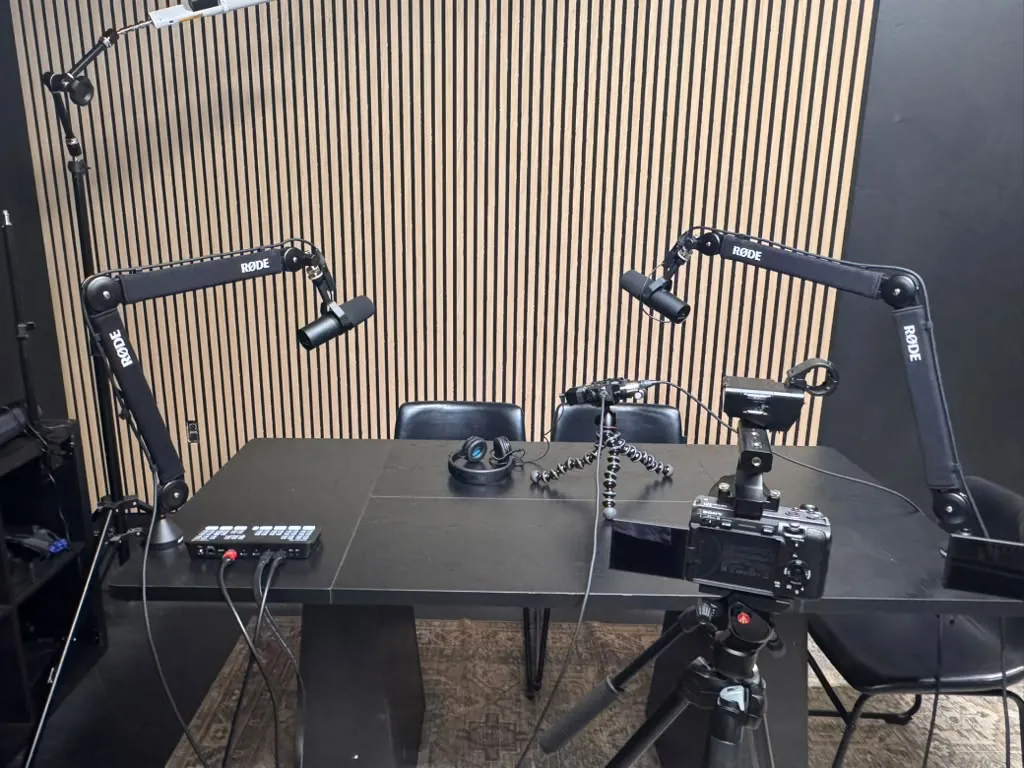
4K video, also known as Ultra High Definition (UHD), boasts a resolution of 3840 x 2160 pixels, which is four times the resolution of 1080p HD. This increase in pixel density results in sharper images, more detail, and enhanced color depth, making it ideal for professional video production.
The term 4K can also refer to DCI 4K, which has a resolution of 4096 x 2160 pixels, primarily used in cinema. Understanding the distinctions between these formats is crucial for selecting the right equipment and workflow for your projects. As technology advances, the demand for 4K content continues to grow, making it essential for creators to adapt and upgrade their production techniques.
2. Essential Equipment for 4K Production
When embarking on a 4K video production project, having the right equipment is paramount. Below, we outline the key components you will need:
2.1 Cameras
Investing in a high-quality camera is the first step in 4K video production. Here are some popular options:
| Camera Model | Resolution | Sensor Type | Price Range |
|---|---|---|---|
| Canon EOS R5 | 8K | Full-Frame | $3,899 |
| Sony A7S III | 4K | Full-Frame | $3,498 |
| Panasonic Lumix GH5 | 4K | Micro Four Thirds | $1,299 |
| Blackmagic URSA Mini Pro 12K | 12K | Super 35 | $5,999 |
Each of these cameras offers unique features suited for various production styles. For instance, the Canon EOS R5 excels in still photography and video capabilities, while the Sony A7S III is renowned for its low-light performance.
2.2 Lenses
Choosing the right lenses is equally important. Lenses affect depth of field, focus, and overall image quality. Here are some recommended lenses for 4K production:
- Canon RF 24-70mm f/2.8
- Sony FE 24-70mm f/2.8 GM
- Panasonic Lumix 12-35mm f/2.8
- Sigma 18-50mm f/2.8 DC DN
These lenses offer versatility and quality, allowing you to capture stunning visuals in various settings.
2.3 Stabilization Equipment
Stabilization is crucial for smooth footage, especially during movement. Consider the following options:
- Gimbals (e.g., DJI Ronin-S, Zhiyun Crane 2)
- Steadicams
- Tripods with fluid heads
Using these tools will help achieve professional-looking shots, minimizing shaky footage that can detract from viewer engagement.
2.4 Audio Equipment
High-quality audio is as important as video quality. Invest in:
- Shotgun microphones (e.g., Rode NTG4+) for directional audio
- Lavalier microphones for interviews
- Audio recorders (e.g., Zoom H6) for capturing high-fidelity sound
Ensure that your audio equipment is compatible with your camera setup for seamless integration.
2.5 Lighting
Good lighting can significantly enhance the quality of your 4K video. Consider these lighting options:
- LED panels for soft, even lighting
- Softboxes for controlled diffusion
- Portable lights for on-the-go shooting
Proper lighting can create mood and depth, essential for storytelling in video production.
3. The 4K Video Production Workflow
A well-structured workflow is critical for efficiently producing high-quality 4K video. Below, we outline the key stages of the production process:
3.1 Pre-Production
Planning is essential. During pre-production, you should:
- Define your project goals and target audience.
- Create a detailed script and storyboard.
- Scout locations and secure necessary permits.
- Assemble your production team and schedule shooting days.
Utilizing a coworking space like World Park can foster collaboration among your team, providing a conducive environment for brainstorming and planning.
3.2 Production
During production, focus on:
- Setting up your equipment and ensuring everything is functional.
- Capturing high-quality footage, adhering to your storyboard.
- Recording clear audio to complement your visuals.
- Monitoring lighting and framing for optimal results.
Regularly review your footage to ensure you are on track and make adjustments as necessary.
3.3 Post-Production
Post-production is where the magic happens. This stage includes:
- Editing your footage using software like Adobe Premiere Pro or Final Cut Pro.
- Color grading to enhance the visual appeal of your video.
- Adding audio tracks, sound effects, and voiceovers.
- Exporting your final video in the desired format.
For those in need of professional editing services, World Park’s video production studios offer access to high-end equipment and expert support.
4. Delivery Methods for 4K Video
Once your video is complete, it’s time to consider how to deliver it to your audience. Here are some common methods:
4.1 Streaming Platforms
Many creators opt to upload their content to streaming platforms such as:
- YouTube
- Vimeo
- Twitch
These platforms support 4K video and provide a wide reach to audiences. Ensure your video is encoded properly for optimal playback.
4.2 Physical Media
For some projects, delivering physical media may be necessary. Consider:
- 4K Blu-ray discs for high-quality playback
- USB drives with preloaded content for clients or events
Physical media can provide a tangible product that some audiences appreciate.
4.3 Social Media
Social media platforms are increasingly supporting 4K video. Consider sharing your content on:
Each platform has its own specifications, so ensure your video meets their requirements.
5. Expert Tips for 4K Video Production
To elevate your 4K video production, consider these expert tips:
By implementing these tips, you can enhance your production quality and streamline your workflow.
6. FAQ
What is 4K video?
4K video refers to a resolution of 3840 x 2160 pixels, providing four times the detail of 1080p HD.
What equipment do I need for 4K video production?
Essential equipment includes a high-quality camera, lenses, stabilization tools, audio equipment, and lighting.
How do I edit 4K video?
Editing 4K video can be done using software like Adobe Premiere Pro or Final Cut Pro, ensuring your system meets the necessary specifications.
What are the best delivery methods for 4K video?
Common delivery methods include streaming platforms, physical media, and social media channels.
Is 4K video worth it?
Yes, 4K video is worth it for professional production, as it provides superior quality that enhances viewer engagement.
How much storage do I need for 4K video?
4K video files can be large, requiring significant storage. It’s advisable to have several terabytes of storage for multiple projects.
Can I use a regular HD camera for 4K production?
No, a 4K-capable camera is necessary to capture 4K footage.
What is the future of 4K video?
The future of 4K video looks promising as technology advances, with increasing demand for high-quality content across platforms.
