

Ultimate Guide to Video Accessibility: Captions, Audio Descriptions & Design
In today’s digital landscape, video content has become a cornerstone of communication, education, and entertainment. However, as we embrace this powerful medium, we must also ensure that it is accessible to everyone, including individuals with disabilities. This comprehensive guide will explore the importance of video accessibility, focusing on adding captions, audio descriptions, and implementing inclusive design. By the end, you will understand how to create videos that not only engage but also include diverse audiences.
Importance of Video Accessibility
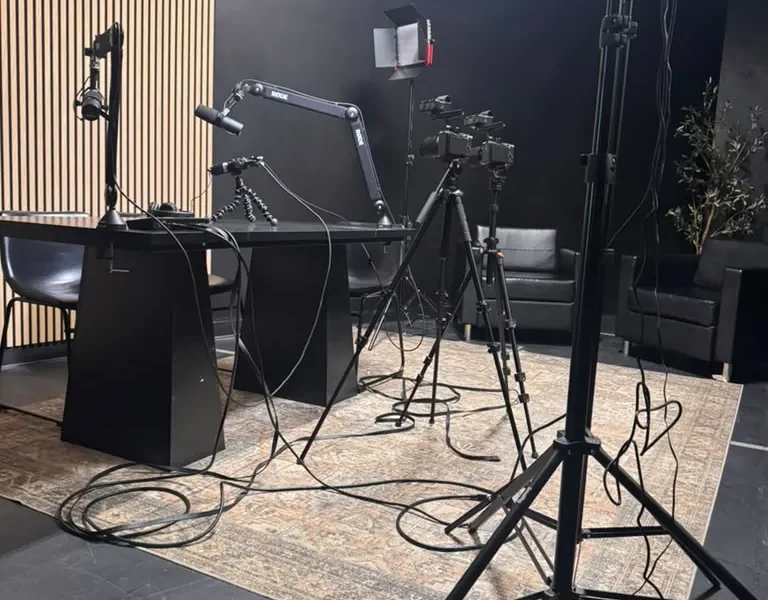
Video accessibility is crucial for ensuring that all individuals, regardless of their abilities, can engage with content. According to the World Health Organization, over 1 billion people globally experience some form of disability, and many rely on captions and audio descriptions to access video content. By making your videos accessible, you not only comply with legal requirements but also expand your audience reach and enhance user engagement.
Accessible videos can lead to increased viewer retention, higher engagement rates, and improved search engine rankings. For example, videos with captions can boost viewer retention by up to 80%, as they help maintain attention and comprehension. Furthermore, search engines like Google recognize the importance of accessibility, often ranking captioned videos higher in search results.
Understanding Captions
Captions are textual representations of the spoken content in a video, designed to assist viewers who are deaf or hard of hearing. They can also benefit viewers in noisy environments or those who prefer to watch videos without sound. There are two primary types of captions:
- Closed Captions: These can be turned on or off by the viewer and often include descriptions of non-speech elements, such as sound effects and speaker identification.
- Open Captions: These are always visible in the video and cannot be turned off. They are often used in situations where accessibility is mandatory.
Benefits of Adding Captions
Adding captions to your videos has numerous benefits, including:
- Enhanced Comprehension: Captions help viewers understand the content better, especially if they are not fluent in the video’s spoken language.
- Increased Engagement: Viewers are more likely to watch videos with captions, leading to longer viewing times and higher engagement rates.
- SEO Benefits: Captions provide search engines with additional text to index, improving your video’s visibility in search results.
How to Add Captions to Your Videos
Adding captions to your videos can be a straightforward process. Here’s a step-by-step guide to help you get started:
- Transcribe Your Video: Start by creating a transcript of your video’s audio content. This can be done manually or using transcription software.
- Choose a Caption Format: Decide whether you want to create closed or open captions. Closed captions are generally more flexible.
- Add Timing Information: Sync the text with the audio by adding timing cues. This enables the captions to appear at the right moments during playback.
- Export Your Captions: Save your captions in a compatible file format, such as SRT or VTT, depending on your video platform.
- Upload Your Captions: Use your video platform’s interface to upload your caption file. Make sure to test the captions to ensure they display correctly.
Audio Descriptions: What You Need to Know
Audio descriptions are an essential component of video accessibility, providing verbal descriptions of visual elements in a video. This service is particularly beneficial for individuals who are blind or have low vision. Audio descriptions typically include descriptions of actions, settings, and important visual details that are not conveyed through dialogue alone.
How to Create Effective Audio Descriptions
Creating effective audio descriptions requires careful consideration of timing and clarity. Here are some tips to help you produce high-quality audio descriptions:
- Be Concise: Descriptions should be brief and to the point, ensuring they fit within the natural pauses of the video’s dialogue.
- Focus on Key Visual Elements: Describe only the most important visual information that is necessary for understanding the content.
- Use Clear Language: Avoid jargon and complex language to ensure accessibility for all audiences.
Creating Inclusive Design for Video Content
Inclusive design goes beyond just adding captions and audio descriptions; it encompasses the overall user experience of your video content. Here are some key principles to consider when designing inclusive videos:
- Color Contrast: Ensure that text and visual elements have sufficient contrast to be easily readable by individuals with visual impairments.
- Clear Navigation: Make sure your video player is easy to navigate, with clear controls for play, pause, and volume adjustments.
- Flexible Formats: Consider providing your video content in multiple formats, such as downloadable transcripts or audio-only versions, to accommodate different needs.
Best Practices for Video Accessibility
Implementing best practices for video accessibility can significantly enhance the user experience. Here are some guidelines to follow:
- Test Your Videos: Conduct user testing with individuals who have disabilities to gather feedback on the accessibility of your content.
- Stay Informed: Keep up to date with accessibility guidelines, such as the Web Content Accessibility Guidelines (WCAG), to ensure compliance and best practices.
- Seek Professional Help: If you’re unsure about creating accessible videos, consider hiring professional services that specialize in video accessibility.
Tools and Resources for Video Accessibility
Several tools and resources can aid in making your video content more accessible:
- Accessibility Checker: Use tools like the WAVE Web Accessibility Evaluation Tool to evaluate the accessibility of your video content.
- Captioning Services: Consider platforms like Rev or Amara for professional captioning services that ensure accuracy.
- Audio Description Services: Services like Descriptive Video Works offer professional audio description services tailored for various video formats.
Frequently Asked Questions
What are the benefits of adding captions to videos?
Captions enhance comprehension, increase engagement, and provide SEO benefits by improving visibility in search results.
What is the difference between closed and open captions?
Closed captions can be turned on or off by the viewer, while open captions are always visible and cannot be turned off.
How do I create audio descriptions for my videos?
Create audio descriptions by writing concise scripts that describe key visual elements and recording them to sync with the video.
What are some best practices for video accessibility?
Best practices include testing your videos for accessibility, keeping up to date with accessibility guidelines, and seeking professional help when needed.
Why is inclusive design important for video content?
Inclusive design ensures that all individuals, regardless of abilities, can engage with your content, enhancing user experience and compliance.
How can I test my videos for accessibility?
You can conduct user testing with individuals who have disabilities or use accessibility checkers to evaluate your videos.
What tools can I use for captioning and audio descriptions?
Tools like Rev and Amara offer professional captioning services, while Descriptive Video Works provides audio description services.
Are there legal requirements for video accessibility?
Yes, various laws, including the Americans with Disabilities Act (ADA) and Section 508 of the Rehabilitation Act, mandate video accessibility in certain contexts.
Conclusion
Creating accessible video content is not just a legal obligation but also a moral imperative. By adding captions, audio descriptions, and implementing inclusive design principles, you ensure that your content reaches a wider audience and enhances the user experience for everyone. At World Park, we believe in empowering entrepreneurs and creators with the resources they need for success, including accessible media production facilities. For more information on our podcast and video production services, or to explore our coworking spaces designed for innovation, contact us today!
- Ultimate Guide: How to Use AI Tools for Faster Video Editing
- Ultimate Guide: Create Cinematic B-Roll to Elevate Business Videos
- The Ultimate Guide to Filming a Day-in-the-Life Brand Documentary
- The Ultimate Technical Guide to 4K Video Production: Equipment, Workflow & Delivery
- The Ultimate Guide to Free and Paid Tools for Graphic Design, Video Editing & Audio Production
