

Ultimate Guide: How to Use AI Tools for Faster Video Editing
In today’s fast-paced digital landscape, content creators are constantly seeking ways to enhance their workflow and deliver high-quality videos efficiently. One of the most transformative advancements in recent years is the integration of Artificial Intelligence (AI) tools into video editing and post-production processes. This article explores how to leverage AI tools to speed up video editing and post-production, enabling creators to focus more on storytelling and creativity rather than tedious tasks.
Introduction
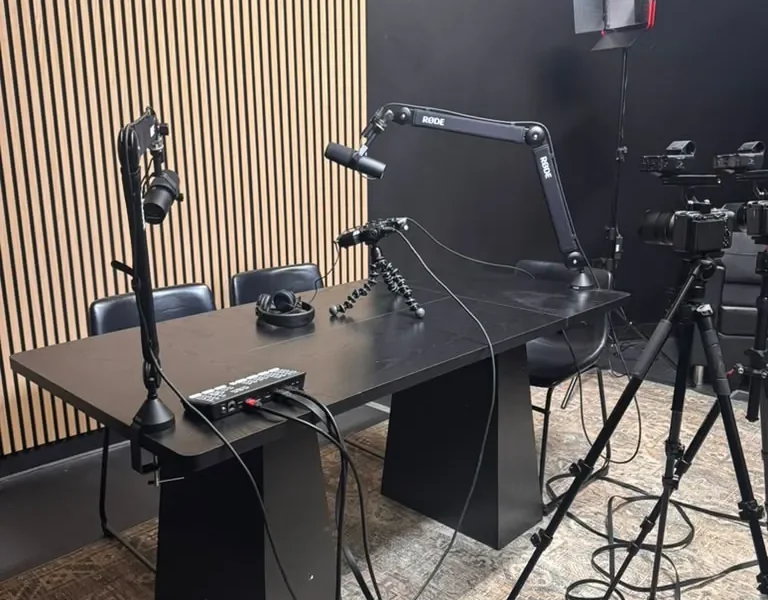
Video editing can often be a time-consuming process, requiring meticulous attention to detail and extensive hours of work. With the rise of AI tools, video editors can now automate many of these time-consuming tasks, significantly speeding up the post-production workflow. In this guide, we will delve into the various AI tools available for video editing, their benefits, and how they can enhance your creative process. By the end of this article, you will have a comprehensive understanding of how to integrate AI tools into your video editing practices, making your workflow more efficient.
What is AI Video Editing?
AI video editing refers to the use of artificial intelligence technologies to automate aspects of the video editing process. This includes tasks such as scene detection, color correction, audio enhancement, and even content recommendation. AI tools can analyze video footage, understand its context, and make intelligent editing decisions, allowing for faster and more efficient post-production workflows.
For instance, AI can help in automatically generating captions, detecting key moments in footage, and suggesting edits based on the style of existing content. This not only saves time but also ensures that the final product maintains a high standard of quality.
Benefits of Using AI Tools in Video Editing
Integrating AI tools into your video editing process offers numerous benefits:
- Time Efficiency: AI tools can automate repetitive tasks, allowing editors to focus on more creative aspects of their projects.
- Improved Consistency: AI algorithms can help maintain consistency in color grading and audio levels across different clips.
- Enhanced Creativity: By handling mundane tasks, AI allows editors to dedicate more time to creative storytelling and innovative editing techniques.
- Cost-Effectiveness: Reducing the time spent on editing can lead to lower production costs, making it a viable option for startups and freelancers.
How AI Tools Work in Video Editing
AI video editing tools utilize machine learning algorithms and computer vision to analyze video content. Here’s a breakdown of how these tools typically function:
- Data Collection: The tool collects data from the video, including audio, visual elements, and metadata.
- Analysis: Machine learning models analyze the data to identify patterns, such as speech recognition for dialogue or object detection for scene changes.
- Automation: Based on the analysis, the AI tool automates tasks like cutting, transitions, and effects application.
- Feedback Loop: Many AI tools learn from user interactions, improving their recommendations and automation capabilities over time.
Top AI Video Editing Tools
Here are some of the leading AI video editing tools that can significantly enhance your editing process:
- Adobe Premiere Pro: With features like Auto Reframe and Scene Edit Detection, Adobe Premiere Pro leverages AI to streamline the editing process.
- Descript: This tool allows for text-based editing, where users can edit video by editing the transcript. It also offers AI voice cloning capabilities.
- Filmora: Filmora uses AI to provide features such as AI Portrait and motion tracking, making complex edits easier.
- Magisto: An online video editor that uses AI to create videos automatically from raw footage, complete with music and effects.
- VEED.IO: This platform offers AI-powered subtitles and translation features, enhancing accessibility and reach.
Comparison of AI Tools for Video Editing
| Tool | Key Features | Best For |
|---|---|---|
| Adobe Premiere Pro | Auto Reframe, Scene Edit Detection | Professional editors |
| Descript | Text-based editing, AI voice cloning | Content creators |
| Filmora | AI Portrait, motion tracking | Beginners |
| Magisto | Automatic video creation | Social media marketers |
| VEED.IO | AI subtitles and translations | Accessibility-focused projects |
Best Practices for Using AI Tools in Video Editing
To maximize the benefits of AI tools in your video editing process, consider the following best practices:
- Understand Your Needs: Assess the specific tasks you want to automate and choose tools that best fit those needs.
- Combine AI with Human Creativity: While AI can handle repetitive tasks, human input is crucial for creative decision-making.
- Stay Updated: AI technology is rapidly evolving. Keep abreast of new features and tools to continuously improve your workflow.
- Experiment with Different Tools: Don’t hesitate to try multiple tools to find the right fit for your editing style and requirements.
- Utilize Training Resources: Many AI tools offer tutorials and community forums. Take advantage of these resources to enhance your skills.
Frequently Asked Questions
What are the main advantages of using AI in video editing?
AI tools offer time efficiency, improved consistency, enhanced creativity, and cost-effectiveness in the video editing process.
Can AI fully replace human video editors?
No, AI cannot fully replace human creativity and decision-making. It serves as a tool to assist editors, allowing them to focus on creative aspects.
What is the best AI video editing software for beginners?
Filmora is often recommended for beginners due to its user-friendly interface and helpful AI features.
How does AI improve video editing speed?
AI automates repetitive tasks such as scene detection, color correction, and audio adjustments, significantly speeding up the editing process.
Are there any free AI video editing tools available?
Yes, tools like VEED.IO offer free features, although premium options may require a subscription.
How can AI tools enhance the quality of video content?
AI tools can maintain consistency in color grading and audio levels, ensuring a professional finish to video content.
What are some examples of AI tools used in professional video editing?
Adobe Premiere Pro, Descript, and Filmora are popular among professionals for their advanced AI features.
Is it necessary to have technical skills to use AI video editing tools?
While some technical knowledge can be beneficial, many AI tools are designed to be user-friendly for those with minimal experience.
Conclusion
AI tools are revolutionizing the way video editing and post-production are approached. By automating time-consuming tasks and enhancing creative workflows, these tools enable content creators to produce high-quality videos more efficiently. As you explore the various AI tools available, remember to combine them with your unique creative vision to create compelling content that resonates with your audience. For those in need of professional video production facilities, World Park’s video production studio in Alpharetta offers the perfect environment for creators looking to elevate their content. Embrace the power of AI in your video editing journey and watch your productivity soar.
- Ultimate Guide: Create Cinematic B-Roll to Elevate Business Videos
- The Ultimate Guide to the Psychology of Color in Video Production
- Ultimate Guide to Video Accessibility: Captions, Audio Descriptions & Design
- The Ultimate Guide to Filming a Day-in-the-Life Brand Documentary
- The Ultimate Guide to Free and Paid Tools for Graphic Design, Video Editing & Audio Production
