

The Ultimate Guide to Producing Training Videos for Employee Onboarding
In today’s fast-paced business environment, effective employee onboarding and development are crucial for organizational success. Training videos have emerged as a powerful tool for onboarding new hires, providing them with essential knowledge and skills while fostering a connection to the company culture. In this comprehensive guide, we will explore how to produce impactful training videos that enhance employee onboarding and development. You will learn the best practices, tools, and techniques to create engaging content that resonates with your audience, helping them transition smoothly into their roles.
Understanding the Importance of Training Videos
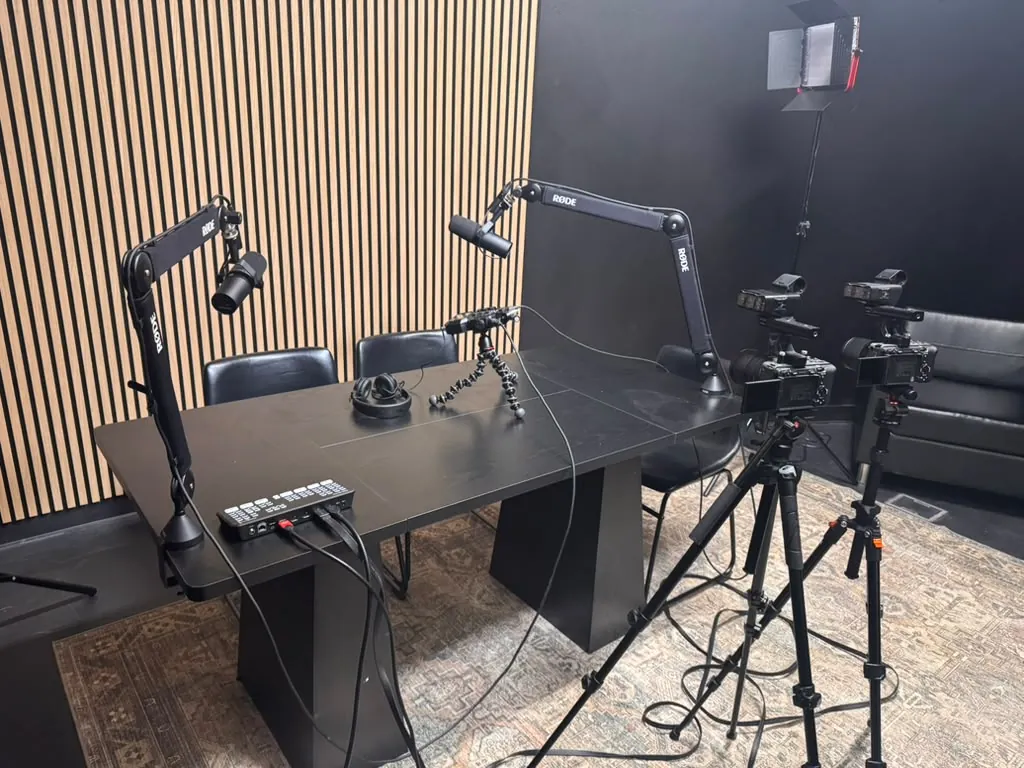
Training videos play a pivotal role in the onboarding process, offering numerous benefits for both employees and employers. According to a study by the Association for Talent Development, organizations that invest in training have 24% higher profit margins than those who spend less on training. Here are some reasons why training videos are essential:
- Consistency: Videos ensure that every employee receives the same information, reducing discrepancies in training.
- Engagement: Visual content is generally more engaging than text, which can lead to better retention of information.
- Flexibility: Employees can watch training videos at their own pace, allowing for a more personalized learning experience.
- Cost-Effectiveness: Once produced, videos can be reused for multiple onboarding sessions, saving time and resources.
Planning Your Training Video
Effective video production starts with thorough planning. Here’s how you can create a structured approach:
Define Your Objectives
Before you begin creating content, it’s essential to define the objectives of your training video. Ask yourself the following questions:
- What skills or knowledge do employees need to acquire?
- How will this training video fit into the overall onboarding process?
- What are the expected outcomes for the employees after watching the video?
Identify Your Audience
Understanding your audience is crucial for tailoring your content. Consider factors such as:
- Demographics (age, education level, etc.)
- Job roles and responsibilities
- Prior knowledge or experience in the field
Develop a Script
A well-structured script is the backbone of any successful training video. It helps maintain focus and ensures that all important topics are covered. Here’s a basic format:
- Introduction: Briefly introduce the topic and its relevance.
- Body: Dive into the main content, breaking it into sections.
- Conclusion: Summarize key points and provide a call to action.
Creating Engaging Video Content
Once you have a clear plan and script, it’s time to focus on content creation. Here are some strategies to make your training videos engaging:
Use Visuals Effectively
Incorporate visuals to enhance understanding and retention. This can include:
- Animations: Use animated graphics to explain complex concepts.
- Real-life Examples: Showcase real scenarios that employees might face.
- Interviews: Include interviews with experienced employees or industry experts.
Incorporate Interactive Elements
Interactive elements can significantly increase engagement. Consider adding:
- Quizzes: Test knowledge retention with short quizzes after key sections.
- Pause Points: Encourage viewers to reflect on what they’ve learned.
- Discussion Prompts: Suggest discussion topics for team meetings following the video.
Technical Considerations for Video Production
Producing high-quality training videos requires attention to technical details. Here are some essential considerations:
Equipment
Investing in the right equipment is vital for producing professional-looking videos. Basic equipment includes:
- Camera: A good quality camera (DSLR or mirrorless) for clear visuals.
- Microphone: A lapel or shotgun microphone for clear audio.
- Lighting: Softbox or LED lights to ensure proper lighting.
Video Editing Software
Editing is where your video comes to life. Utilize software such as:
- Adobe Premiere Pro: Professional editing software with advanced features.
- Final Cut Pro: A powerful tool for Mac users.
- DaVinci Resolve: Excellent for color correction and professional editing.
Editing and Finalizing Your Training Video
Editing is a crucial phase that can make or break your training video. Here are steps to ensure a polished final product:
Review and Feedback
Before finalizing, seek feedback from stakeholders or a focus group of employees. This helps identify areas for improvement. Consider the following:
- Is the content clear and understandable?
- Are the visuals engaging?
- Does the video meet the initial objectives?
Final Edits
Incorporate feedback and make final edits. Pay attention to:
- Transitions: Ensure smooth transitions between sections.
- Audio Quality: Balance audio levels and remove any background noise.
- Subtitles: Add subtitles for accessibility and better comprehension.
Distributing Your Training Videos
Once your training video is complete, it’s time to share it with your employees. Consider these distribution methods:
Learning Management Systems (LMS)
If your organization uses an LMS, upload the video for easy access. This allows tracking of employee progress and completion rates.
Company Intranet
Share the video on your company intranet or internal communication channels, making it easily accessible to all employees.
Email Campaigns
Send out an email campaign to announce the new training video, highlighting its importance and relevance to the onboarding process.
Measuring the Effectiveness of Training Videos
To ensure your training videos are effective, it’s essential to measure their impact. Here are key performance indicators (KPIs) to consider:
Employee Engagement
Track how many employees watch the video and their engagement levels. This can be measured through:
- Completion rates
- Comments and feedback
- Participation in related discussions
Knowledge Retention
Assess knowledge retention through quizzes or assessments after the video. This helps determine if the training objectives were met.
Performance Metrics
Evaluate changes in employee performance post-training. Look for improvements in productivity, quality of work, and job satisfaction.
Expert Tips for Successful Training Videos
Here are additional expert tips for producing successful training videos:
- Use Storytelling: Incorporate storytelling techniques to create a narrative that resonates with viewers.
- Be Authentic: Use real employees in videos to create a sense of authenticity and relatability.
- Regular Updates: Regularly update training videos to reflect changes in company policies or practices.
Conclusion
Producing effective training videos for employee onboarding and development is a strategic investment in your workforce. By following the steps outlined in this guide, you can create engaging, informative, and impactful training content that enhances the onboarding experience. As you embark on this journey, consider leveraging professional resources such as the podcast and video production studios at World Park to elevate your training materials further. Start creating training videos today to empower your employees and drive organizational success!
FAQ
What are the benefits of using training videos for onboarding?
Training videos provide consistent information, enhance engagement, and allow employees to learn at their own pace.
How long should training videos be?
Aim for 5-10 minutes to maintain viewer engagement and ensure effective information retention.
What equipment do I need to produce training videos?
Basic equipment includes a good quality camera, microphone, and lighting setup.
How can I measure the effectiveness of training videos?
Track metrics such as employee engagement, knowledge retention through assessments, and performance improvements.
Should I use animations in training videos?
Yes, animations can help explain complex concepts and keep the content engaging.
How often should training videos be updated?
Regularly update training videos to reflect changes in company policies or practices, ideally at least once a year.
Can I use real employees in training videos?
Using real employees adds authenticity and relatability, making the content more engaging for viewers.
What are some common mistakes to avoid in training videos?
Avoid long videos, unclear objectives, and poor audio or visual quality. Focus on clarity and engagement.
